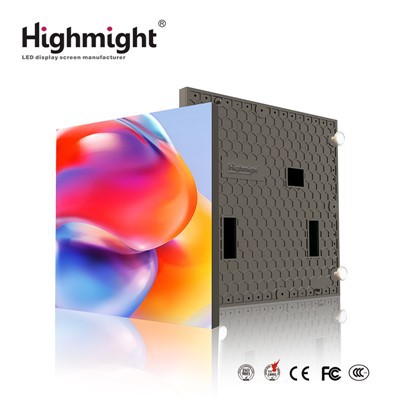
In the modern digital age, visual displays play a crucial role in various fields, from advertising to corporate presentations and home entertainment. Among the many types of displays available, the P1.2 small pitch LED display has gained significant popularity due to its high - resolution, excellent image quality, and versatility. As a P1.2 Small Pitch LED Display supplier, I often receive inquiries from customers about the possibility of connecting this display to a computer wirelessly. In this blog post, I will explore this topic in detail.
Understanding the P1.2 Small Pitch LED Display
Before delving into the wireless connection aspect, let's briefly understand what a P1.2 small pitch LED display is. The "P1.2" refers to the pixel pitch, which is the distance between the centers of two adjacent pixels. A smaller pixel pitch means a higher pixel density, resulting in a sharper and more detailed image. The P1.2 Small Pitch LED Display is ideal for applications where high - quality visuals are required, such as indoor advertising, control rooms, and high - end corporate events.


These displays are typically made up of multiple LED panels, which can be assembled to create large video walls. They offer features like high brightness, wide viewing angles, and low power consumption. Moreover, they can support a variety of content formats, including videos, images, and real - time data feeds.
Traditional Connection Methods
Traditionally, P1.2 small pitch LED displays are connected to computers using wired connections. The most common types of wired connections include VGA, DVI, HDMI, and DisplayPort. These cables provide a stable and reliable connection, ensuring that the display receives high - quality video signals from the computer.
VGA (Video Graphics Array) is an older standard that is still used in some legacy systems. It can transmit analog video signals, but its resolution is limited compared to newer standards. DVI (Digital Visual Interface) comes in different versions, such as DVI - D (digital only) and DVI - I (both digital and analog). It offers better image quality than VGA but is also being gradually replaced by more advanced standards.
HDMI (High - Definition Multimedia Interface) is currently one of the most popular connection methods. It can transmit both high - definition video and audio signals, making it suitable for a wide range of applications. DisplayPort is another high - performance standard that offers even higher bandwidth and better support for high - resolution displays.
Wired connections have several advantages. They are generally more stable, with less interference and latency compared to wireless connections. They also support higher data transfer rates, which is crucial for displaying high - resolution content without any lag or artifacts.
The Possibility of Wireless Connection
The question of whether a P1.2 small pitch LED display can be connected to a computer wirelessly is a valid one, considering the convenience and flexibility that wireless technology offers. The answer is yes, it is possible to connect a P1.2 small pitch LED display to a computer wirelessly, but there are several factors to consider.
Wireless Technologies
There are several wireless technologies that can be used for this purpose:
-
Wi - Fi: Wi - Fi is a widely used wireless technology that allows devices to connect to a local network. To connect a P1.2 small pitch LED display to a computer via Wi - Fi, both the display and the computer need to have Wi - Fi capabilities. A wireless adapter can be used to add Wi - Fi functionality to the display if it doesn't have it built - in.
- Advantages: Wi - Fi offers a relatively long - range connection, typically up to several meters or even more depending on the router and environment. It also allows multiple devices to connect to the same network, enabling easy sharing of content.
- Disadvantages: Wi - Fi signals can be affected by interference from other electronic devices, walls, and other obstacles. This can result in a loss of signal strength and potentially cause video stuttering or dropped frames. Additionally, the data transfer rate of Wi - Fi may not be sufficient for very high - resolution content, especially if multiple devices are using the same network.
-
Bluetooth: Bluetooth is a short - range wireless technology that is commonly used for connecting devices such as headphones, keyboards, and mice to computers. Some P1.2 small pitch LED displays may support Bluetooth connectivity.
- Advantages: Bluetooth is easy to set up and can provide a quick connection between the display and the computer. It also consumes less power compared to Wi - Fi.
- Disadvantages: The range of Bluetooth is limited, usually up to a few meters. It also has a relatively low data transfer rate, which may not be suitable for transmitting high - resolution video content.
-
Wireless HDMI: Wireless HDMI technology allows for the wireless transmission of HDMI signals. There are wireless HDMI transmitters and receivers available on the market. The transmitter is connected to the computer's HDMI output, and the receiver is connected to the display's HDMI input.
- Advantages: It can transmit high - definition video signals wirelessly, providing a similar level of quality to a wired HDMI connection. It is relatively easy to set up and can be used in situations where running cables is not practical.
- Disadvantages: Wireless HDMI systems can be affected by interference, especially in environments with a lot of wireless activity. They also tend to be more expensive than traditional wired HDMI cables.
Considerations for Wireless Connection
When considering a wireless connection for a P1.2 small pitch LED display, the following factors should be taken into account:
Resolution and Frame Rate
High - resolution displays like the P1.2 small pitch LED display require a high data transfer rate to support smooth video playback. If the wireless connection cannot provide sufficient bandwidth, the video may appear pixelated, have dropped frames, or experience stuttering. For example, a 4K video at 60 frames per second requires a much higher data transfer rate than a 1080p video at 30 frames per second.
Interference
As mentioned earlier, wireless signals can be affected by interference from other electronic devices, such as microwave ovens, cordless phones, and other Wi - Fi networks. In a crowded environment, this interference can significantly degrade the quality of the wireless connection. To minimize interference, it is advisable to use wireless technologies that operate on less congested frequency bands or to position the devices away from potential sources of interference.
Latency
Latency refers to the delay between the time a signal is sent from the computer and the time it is displayed on the screen. In applications where real - time interaction is required, such as gaming or live presentations, low latency is crucial. Wireless connections generally have higher latency compared to wired connections, which can be a problem in some scenarios.
Security
Wireless connections are more vulnerable to security threats compared to wired connections. If the wireless network is not properly secured, unauthorized users may be able to access the data being transmitted between the computer and the display. It is important to use strong encryption methods, such as WPA2 or WPA3, to protect the wireless network.
Applications of Wireless - Connected P1.2 Small Pitch LED Displays
Despite the challenges, wireless - connected P1.2 small pitch LED displays have several applications:
Indoor Advertising
In indoor advertising settings, such as shopping malls or airports, wireless connections can make it easier to update the content on the displays. Instead of having to run cables to each display, advertisers can simply connect to the displays wirelessly from a central computer. This allows for quick and easy content changes, reducing the time and cost associated with traditional installation methods. The LED Small Pitch Advertising Display can benefit greatly from this flexibility.
Corporate Presentations
For corporate presentations, wireless connections offer a more convenient and professional setup. Presenters can easily connect their laptops to the P1.2 small pitch LED display without having to worry about cable management. This allows for a more seamless and efficient presentation experience, especially in large conference rooms or event spaces.
Home Entertainment
In home entertainment systems, wireless - connected P1.2 small pitch LED displays can create a clutter - free setup. Users can connect their gaming consoles, streaming devices, or computers to the display wirelessly, eliminating the need for multiple cables. This provides a more aesthetically pleasing and user - friendly home theater experience.
Conclusion
In conclusion, it is possible to connect a P1.2 small pitch LED display to a computer wirelessly using technologies such as Wi - Fi, Bluetooth, or wireless HDMI. However, there are several factors to consider, including resolution, interference, latency, and security. While wireless connections offer convenience and flexibility, wired connections still provide a more stable and reliable option, especially for high - resolution and real - time applications.
If you are interested in using a P1.2 small pitch LED display for your project and have questions about wireless or wired connections, we are here to help. As a leading supplier of P1.2 Small Pitch LED Display and Indoor LED Panel, we can provide you with the best solutions tailored to your specific needs. Contact us to discuss your requirements and start a procurement negotiation today.
References
- "LED Display Technology Handbook," by various industry experts.
- Manufacturer's manuals for P1.2 small pitch LED displays.
- Research papers on wireless display technologies.