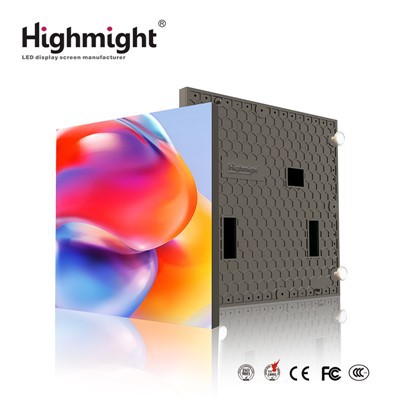
Hey there! As a supplier of Outdoor LED Display Module, I've been getting a bunch of questions lately about how to add a remote control function to an outdoor LED display module. So, I thought I'd put together this blog post to share some tips and insights on the topic.
Why Add a Remote Control Function?
First off, let's talk about why you might want to add a remote control function to your outdoor LED display module. There are several benefits to doing so:
- Convenience: With a remote control, you can easily change the display settings, such as brightness, contrast, and color, without having to physically access the display module. This is especially useful if the display is installed in a hard-to-reach location.
- Flexibility: A remote control allows you to quickly and easily update the content on the display, such as changing the text, images, or videos. This is great for advertising, events, or other applications where you need to change the message frequently.
- Energy Efficiency: You can use the remote control to turn the display on and off as needed, which can help save energy and reduce your electricity costs.
Choosing the Right Remote Control System
Now that you know why you might want to add a remote control function, let's talk about how to choose the right remote control system for your outdoor LED display module. There are several factors to consider:
- Compatibility: Make sure the remote control system is compatible with your outdoor LED display module. Check the specifications of the display module and the remote control system to ensure they are a good match.
- Range: Consider the range of the remote control system. If the display is installed in a large outdoor area, you'll need a remote control system with a long range.
- Functionality: Look for a remote control system that offers the features and functionality you need. For example, some remote control systems allow you to control multiple display modules from a single remote, while others offer advanced features such as scheduling and timing.
- Reliability: Choose a remote control system that is reliable and durable. Outdoor environments can be harsh, so you'll need a remote control system that can withstand the elements.
Installing the Remote Control System
Once you've chosen the right remote control system for your outdoor LED display module, it's time to install it. Here are the general steps:
- Read the Instructions: Before you start installing the remote control system, read the instructions carefully. Make sure you understand how the system works and how to install it correctly.
- Prepare the Display Module: Turn off the power to the outdoor LED display module and remove the cover if necessary. Locate the control board and identify the connection points for the remote control system.
- Connect the Remote Control System: Follow the instructions to connect the remote control system to the display module. This may involve connecting wires, plugging in cables, or using other types of connectors.
- Test the System: Once the remote control system is connected, turn on the power to the display module and test the system. Use the remote control to change the display settings and make sure everything is working properly.
- Secure the System: If necessary, secure the remote control system to the display module or the mounting structure. Make sure the system is stable and won't be easily damaged.
Programming the Remote Control System
After the remote control system is installed, you'll need to program it to work with your outdoor LED display module. Here are the general steps:

- Set the Channel: Most remote control systems allow you to set the channel to match the display module. Follow the instructions to set the channel on the remote control and the display module.
- Program the Functions: Use the remote control to program the functions you want to use, such as changing the brightness, contrast, and color. You may also be able to program the display to show different content at different times.
- Save the Settings: Once you've programmed the functions, save the settings on the remote control and the display module. This will ensure that the settings are retained even if the power is turned off.
Troubleshooting Tips
If you encounter any problems with the remote control system, here are some troubleshooting tips:
- Check the Batteries: Make sure the batteries in the remote control are fresh and installed correctly.
- Check the Connection: Make sure the remote control system is properly connected to the display module. Check the wires, cables, and connectors for any loose or damaged connections.
- Reset the System: If the remote control system is not working properly, try resetting it. Follow the instructions to reset the system and then reprogram it.
- Contact the Manufacturer: If you're still having problems, contact the manufacturer of the remote control system or the outdoor LED display module. They may be able to provide additional support and troubleshooting tips.
Conclusion
Adding a remote control function to an outdoor LED display module can provide many benefits, such as convenience, flexibility, and energy efficiency. By choosing the right remote control system, installing it correctly, and programming it properly, you can enjoy the benefits of a remote-controlled outdoor LED display module.
If you're interested in purchasing an Energy-saving Outdoor LED Modules or have any questions about adding a remote control function to your outdoor LED display module, please feel free to contact us. We'd be happy to help you find the right solution for your needs.

References
- Manufacturer's instructions for the outdoor LED display module and remote control system.
- Online resources and forums for outdoor LED display module users.