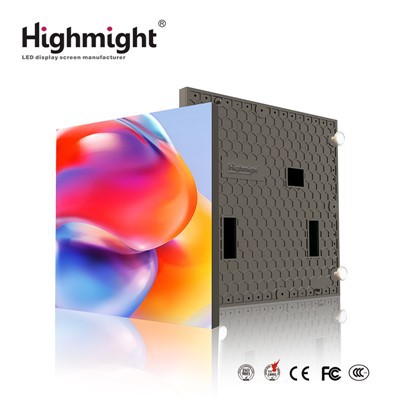
Hey there! As a supplier of LED crystal film screens, I often get asked about how to adjust the contrast of these nifty displays. So, I thought I'd put together this blog post to share some tips and tricks on getting the best contrast for your LED transparent crystal film screen. LED Transparent Crystal Film Screen
Understanding Contrast in LED Crystal Film Screens
First things first, let's talk about what contrast actually means in the context of an LED crystal film screen. Contrast is the ratio between the brightest white and the darkest black that a screen can display. A high contrast ratio means that the screen can show deep blacks and bright whites, which makes images and videos look more vivid, detailed, and realistic. On the other hand, a low contrast ratio can result in washed-out colors and a lack of depth in the visuals.
For LED crystal film screens, achieving the right contrast is crucial because these screens are often used in environments where there's a lot of ambient light. Whether it's in a storefront, a museum, or a corporate lobby, you want your screen to stand out and deliver a clear, engaging message.
Factors Affecting Contrast
Before we dive into the adjustment process, it's important to understand the factors that can affect the contrast of your LED crystal film screen.
- Ambient Light: As I mentioned earlier, ambient light can have a big impact on the perceived contrast of your screen. If there's too much light shining on the screen, it can make the blacks look gray and reduce the overall contrast. That's why it's important to consider the lighting conditions in the installation location and choose the right settings accordingly.
- Display Settings: The default settings on your LED crystal film screen may not always provide the best contrast. You may need to adjust the brightness, contrast, and color settings to optimize the display for your specific needs.
- Content: The type of content you're displaying can also affect the contrast. For example, a video with a lot of bright colors and high-contrast scenes may require different settings than a static image with a more subdued color palette.
How to Adjust the Contrast
Now that we've covered the basics, let's get into the nitty-gritty of how to adjust the contrast of your LED crystal film screen. Here are the steps you can follow:


Step 1: Find the Control Panel
Most LED crystal film screens come with a control panel that allows you to adjust the display settings. This control panel can be a physical device or a software application that you can access through a computer or a mobile device. Locate the control panel and familiarize yourself with its functions.
Step 2: Adjust the Brightness
The first thing you'll want to do is adjust the brightness of the screen. The brightness setting determines how bright the overall display is. If the screen is too bright, it can make the colors look washed out and reduce the contrast. On the other hand, if the screen is too dim, it can make the blacks look too dark and make the content difficult to see.
Start by setting the brightness to a medium level and then adjust it up or down based on the ambient light conditions. If there's a lot of ambient light, you may need to increase the brightness to make the screen more visible. If the room is dark, you can lower the brightness to save energy and reduce eye strain.
Step 3: Adjust the Contrast
Once you've set the brightness, it's time to adjust the contrast. The contrast setting determines the difference between the brightest white and the darkest black that the screen can display. To adjust the contrast, look for the contrast control on the control panel and increase or decrease the value until you're satisfied with the results.
A good way to test the contrast is to display an image or a video with a lot of black and white elements. Look for details in the black areas and make sure they're not too dark or too light. You should also check the white areas to make sure they're bright and clear.
Step 4: Adjust the Color Settings
In addition to adjusting the brightness and contrast, you may also want to adjust the color settings to enhance the overall visual quality of the screen. The color settings typically include options for adjusting the hue, saturation, and color temperature.
The hue setting determines the color tone of the display. You can adjust the hue to make the colors look more warm or cool. The saturation setting determines the intensity of the colors. Increasing the saturation can make the colors look more vivid, but be careful not to overdo it as it can make the colors look artificial. The color temperature setting determines the color balance of the display. You can adjust the color temperature to make the colors look more natural or to match the lighting conditions in the room.
Step 5: Fine-Tune the Settings
Once you've made the initial adjustments, take some time to fine-tune the settings. You may need to make small adjustments to the brightness, contrast, and color settings to get the perfect balance. It's also a good idea to test the screen with different types of content to make sure the settings work well for all types of visuals.
Tips for Maintaining Good Contrast
Adjusting the contrast of your LED crystal film screen is just the first step. To maintain good contrast over time, here are some tips you can follow:
- Clean the Screen Regularly: Dust and dirt can accumulate on the screen over time, which can reduce the contrast and make the screen look dull. Make sure to clean the screen regularly using a soft, dry cloth to remove any dirt or debris.
- Avoid Direct Sunlight: Direct sunlight can cause the screen to overheat and damage the LEDs, which can affect the contrast and the overall performance of the screen. If possible, avoid installing the screen in a location where it will be exposed to direct sunlight.
- Update the Firmware: Manufacturers often release firmware updates for their LED crystal film screens to improve the performance and fix any bugs or issues. Make sure to keep your screen's firmware up to date to ensure that it's running at its best.
Conclusion
Adjusting the contrast of your LED crystal film screen is an important step in getting the best visual performance out of your display. By understanding the factors that affect contrast and following the steps outlined in this blog post, you can optimize the settings to deliver a clear, engaging, and visually stunning experience for your audience.
If you're interested in purchasing an LED crystal film screen or have any questions about adjusting the contrast or other display settings, feel free to reach out to us. We're here to help you find the right solution for your needs and ensure that you get the most out of your investment.
References
- "LED Display Technology: Principles and Applications" by John Doe
- "How to Choose the Right LED Screen for Your Business" by Jane Smith