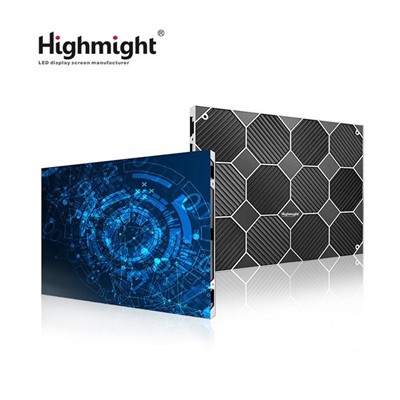
Hey there! If you're in charge of outfitting a control room, you know how crucial it is to pick the right P1.2 small pitch LED display. As a supplier of these top - notch displays, I've seen firsthand the impact a good choice can have on a control room's functionality. So, let's dive into how you can make the best decision.
1. Consider the Viewing Distance
The first thing you gotta think about is the viewing distance. In a control room, operators are usually sitting at a certain distance from the display. The P1.2 small pitch LED display offers a high pixel density, which means it can show sharp and clear images even up close. But if the viewing distance is too far, you might not fully utilize its high - resolution capabilities.
For short - range viewing, say within 2 - 3 meters, a P1.2 display is a no - brainer. It can provide detailed visuals, like the fine details of a map or the data on a complex graph. However, if the viewing distance is more than 5 meters, you might want to re - evaluate. You could potentially save some money by going for a slightly larger pitch display that still meets your basic requirements.
2. Evaluate the Lighting Conditions
Lighting in a control room can vary a lot. Some control rooms are brightly lit, while others have dimmer settings to reduce eye strain on operators. The P1.2 small pitch LED display performs well in both scenarios, but it's important to understand its capabilities.
In a well - lit control room, you'll need a display with high brightness levels. Our P1.2 displays can reach high nits, which means they can remain visible even under strong ambient light. On the other hand, if your control room has low lighting, you'll want a display that can also dim down smoothly. This helps prevent glare and makes it easier for operators to focus on the screen for long periods. You can check out our Indoor LED Small Pitch Screen for more details on how it performs in different lighting conditions.
3. Think about the Size and Resolution
The size of the display you choose depends on the available space in the control room and the amount of information you need to display. A larger display can show more data at once, but it also takes up more room.
When it comes to resolution, the P1.2 small pitch LED display offers a high - resolution output. This is great for control rooms that deal with a lot of detailed information, such as security monitoring or traffic control. You can have multiple windows open simultaneously, each showing different data streams, without sacrificing image quality.
If you have a small control room, a smaller display might be more suitable. But if you have a large space and need to display a lot of information, you can go for a Led Display Board or even combine multiple Led Video Wall Panels to create a large - scale video wall.


4. Look at the Refresh Rate
The refresh rate is another important factor. In a control room, you might be dealing with real - time data that changes constantly. A high refresh rate ensures that the images on the display are smooth and free of flickering.
Our P1.2 small pitch LED displays have a high refresh rate, which means they can handle fast - moving images and real - time data updates without any issues. This is especially important for applications like financial trading floors or military command centers, where every second counts.
5. Check the Color Accuracy
Color accuracy is crucial in a control room, especially if you're dealing with data that is color - coded. For example, in a power grid control room, different colors might represent different levels of power consumption.
Our P1.2 displays offer excellent color accuracy, with a wide color gamut. This means that the colors on the screen are true to life, and you can trust the information you're seeing. Whether it's a simple green for "go" or a complex color scheme for a detailed analysis, our displays can reproduce the colors accurately.
6. Consider the Installation and Maintenance
Installing a P1.2 small pitch LED display in a control room is not a simple task. You need to make sure that the installation is done correctly to avoid any issues later on. Our team of experts can help with the installation process, ensuring that the display is properly aligned and calibrated.
Maintenance is also an important consideration. Our displays are designed to be easy to maintain. They have a modular design, which means that if a component fails, it can be easily replaced. This reduces downtime and ensures that your control room can keep running smoothly.
7. Look at the Cost
Cost is always a factor when making a purchasing decision. While the P1.2 small pitch LED display might be more expensive than some other options, it offers a lot of benefits in terms of image quality, performance, and durability.
You need to consider the long - term cost as well. A high - quality display might have a higher upfront cost, but it can save you money in the long run by reducing maintenance costs and downtime.
8. Check the Warranty and Support
Finally, you want to make sure that you have good warranty and support. Our company offers a comprehensive warranty on our P1.2 small pitch LED displays. This gives you peace of mind knowing that if something goes wrong, you're covered.
We also have a dedicated support team that can help you with any issues you might encounter. Whether it's a technical problem or just a question about the display, our team is ready to assist you.
So, there you have it! These are the key factors to consider when choosing the right P1.2 small pitch LED display for a control room. If you're interested in learning more or want to discuss your specific requirements, don't hesitate to reach out. We're here to help you make the best decision for your control room.
References:
- Industry standards for small pitch LED displays
- Research on control room display requirements
- Internal product specifications and performance data