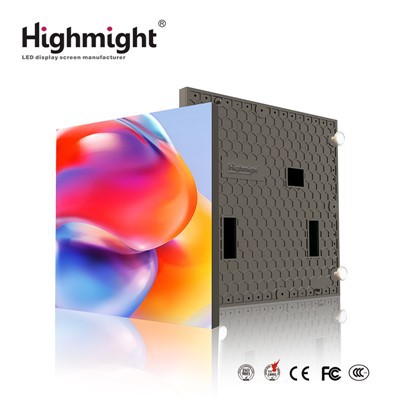
Hey there! As a supplier of LED crystal film screens, I've seen firsthand how these amazing displays can transform any space. They're sleek, modern, and offer a unique way to showcase content. But like any piece of technology, they need proper maintenance to keep them looking and performing their best. In this blog post, I'll share some tips on how to maintain an LED crystal film screen.
Regular Cleaning
One of the most important aspects of maintaining an LED crystal film screen is regular cleaning. Dust, dirt, and fingerprints can accumulate on the screen over time, which can affect its visibility and performance. To clean the screen, you'll need a soft, lint-free cloth and a mild cleaning solution. Avoid using abrasive materials or harsh chemicals, as these can scratch or damage the screen.
Start by turning off the screen and unplugging it from the power source. This will prevent any electrical shock and ensure that the screen is safe to clean. Then, dampen the cloth with the cleaning solution and gently wipe the screen in a circular motion. Be careful not to apply too much pressure, as this can cause the screen to crack or break. Once you've wiped the entire screen, use a dry cloth to remove any excess moisture.
It's also a good idea to clean the edges and corners of the screen, as these areas can collect dust and dirt. You can use a small brush or a cotton swab to clean these hard-to-reach areas. Just be sure to use a gentle touch and avoid scratching the screen.
Avoiding Physical Damage
Another important aspect of maintaining an LED crystal film screen is avoiding physical damage. These screens are delicate and can be easily scratched or cracked if they're not handled properly. To prevent physical damage, you should always handle the screen with care and avoid touching it with sharp or pointed objects.
When transporting the screen, make sure it's properly protected. You can use a protective case or a foam padding to prevent it from getting damaged during transit. If you're installing the screen yourself, be sure to follow the manufacturer's instructions carefully and use the appropriate tools.
It's also a good idea to avoid placing heavy objects on top of the screen or applying pressure to it. This can cause the screen to warp or crack, which can affect its performance. If you need to move the screen, make sure you lift it from the bottom and support it evenly.
Proper Storage
If you're not using the LED crystal film screen for an extended period of time, it's important to store it properly. This will help prevent damage and ensure that the screen is in good condition when you're ready to use it again.
To store the screen, you should first clean it using the method described above. Then, wrap the screen in a soft, protective material, such as a microfiber cloth or a plastic bag. Make sure the screen is completely dry before wrapping it to prevent moisture from getting trapped inside.
Next, place the wrapped screen in a cool, dry place. Avoid storing the screen in direct sunlight or in a humid environment, as this can cause damage to the screen. You can also store the screen in a protective case or a storage box to provide additional protection.
Checking the Connections
In addition to regular cleaning and avoiding physical damage, it's also important to check the connections of the LED crystal film screen regularly. Loose or damaged connections can cause the screen to malfunction or display incorrect information.
To check the connections, you should first turn off the screen and unplug it from the power source. Then, inspect the cables and connectors for any signs of damage or wear. If you notice any frayed wires or loose connections, you should replace the cables or connectors immediately.
You should also make sure that the cables are properly plugged in and that there are no loose connections. If you're using a wireless connection, make sure the signal is strong and that there are no interference issues.
Updating the Software
Finally, it's important to keep the software of the LED crystal film screen up to date. Software updates can improve the performance and functionality of the screen, as well as fix any bugs or security issues.
To update the software, you should first check the manufacturer's website for the latest software version. Then, download the software and follow the instructions provided by the manufacturer to install it on the screen.


It's also a good idea to set up automatic software updates if your screen supports this feature. This will ensure that your screen is always running the latest software version and that you don't have to manually check for updates.
Conclusion
Maintaining an LED crystal film screen is essential to keep it looking and performing its best. By following these tips, you can ensure that your screen stays in good condition for years to come.
If you're interested in purchasing an LED crystal film screen, be sure to check out our LED Transparent Crystal Film Screen. We offer a wide range of high-quality screens at competitive prices. And if you have any questions or need help with maintenance, our team of experts is always here to assist you. Contact us today to learn more and start the procurement negotiation process!
References
- Manufacturer's user manual for LED crystal film screens
- Industry best practices for display maintenance