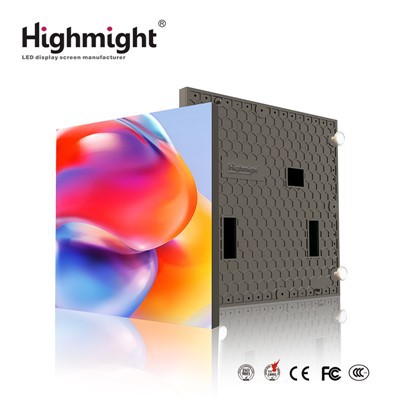
As a trusted supplier of COB Small Pixel Pitch displays, I understand the importance of maintaining these high - end display solutions to ensure their longevity, optimal performance, and visual appeal. In this blog, I'll share some essential tips on how to maintain COB Small Pixel Pitch displays effectively.
Understanding COB Small Pixel Pitch Displays
Before diving into maintenance, it's crucial to understand what COB Small Pixel Pitch displays are. COB, or Chip - on - Board technology, involves directly mounting LED chips onto the circuit board. This results in a more robust and seamless display compared to traditional SMD (Surface - Mount Device) technology. Small Pixel Pitch refers to the distance between the centers of adjacent pixels, which is typically less than 2mm. This close pixel spacing enables higher resolution and better image quality, making COB Small Pixel Pitch displays ideal for applications such as control rooms, command centers, corporate boardrooms, and high - end retail environments.


For more information about our COB Small Pixel Pitch displays, you can visit our product pages: COB Package Small Pitch LED Screen, P0.9 COB Small Pitch LED Screen, and COB Small Pitch LED Screen.
1. Environmental Control
The environment in which the COB Small Pixel Pitch display is installed plays a significant role in its maintenance.
- Temperature: COB displays are sensitive to temperature fluctuations. High temperatures can cause the LEDs to degrade faster, while low temperatures may affect the electrical performance. It is recommended to keep the operating temperature between 20°C - 30°C. Installing the display in a well - ventilated area and using air - conditioning systems can help maintain a stable temperature.
- Humidity: Excessive humidity can lead to condensation on the display surface, which may cause short - circuits or damage to the electronic components. The relative humidity should be maintained between 30% - 70%. In areas with high humidity, dehumidifiers can be used, and in dry areas, humidifiers may be necessary to prevent static electricity buildup.
- Dust and Debris: Dust can accumulate on the display surface and inside the casing, affecting the display's performance and potentially causing overheating. Regularly clean the surrounding area to minimize dust exposure. Additionally, using air filters in the installation space can help reduce the amount of dust that reaches the display.
2. Regular Cleaning
Cleaning the COB Small Pixel Pitch display is essential to maintain its visual quality.
- Surface Cleaning: Use a soft, lint - free microfiber cloth to gently wipe the display surface. Avoid using abrasive materials or harsh chemicals, as they can scratch the surface or damage the LEDs. If the screen is particularly dirty, you can slightly dampen the cloth with distilled water. Do not spray water directly on the display.
- Internal Cleaning: Over time, dust can accumulate inside the display casing. It is recommended to have a professional technician perform internal cleaning at least once a year. They can use compressed air to blow out the dust from the internal components without causing damage.
3. Power Management
Proper power management is crucial for the longevity of the COB Small Pixel Pitch display.
- Stable Power Supply: Ensure that the display is connected to a stable power source. Fluctuations in voltage can damage the electronic components. Using a UPS (Uninterruptible Power Supply) can protect the display from power outages and voltage spikes.
- Power - On and Power - Off Procedures: Follow the recommended power - on and power - off procedures. Do not turn the display on and off too frequently, as this can cause stress on the LEDs and other components. It is best to allow the display to warm up for a few minutes after power - on and cool down before power - off.
4. Calibration
Regular calibration is necessary to maintain the color accuracy and brightness uniformity of the COB Small Pixel Pitch display.
- Color Calibration: Over time, the color performance of the display may change. Use a professional color calibration tool to adjust the color settings, such as hue, saturation, and brightness. This will ensure that the display reproduces colors accurately and consistently.
- Brightness Uniformity: Due to factors such as LED aging, the brightness of different areas of the display may vary. Calibrate the brightness of each pixel to achieve uniform brightness across the entire display surface.
5. Software Updates
Keep the display's software up - to - date. Software updates often include bug fixes, performance improvements, and new features. Check the manufacturer's website regularly for software updates and follow the instructions carefully to install them.
6. Monitoring and Troubleshooting
Regularly monitor the performance of the COB Small Pixel Pitch display to detect any potential issues early.
- Visual Inspection: Check the display for any signs of dead pixels, color abnormalities, or physical damage. If you notice any issues, contact the manufacturer or a professional technician for assistance.
- Performance Monitoring: Use monitoring software to track the display's performance, such as temperature, power consumption, and brightness. This can help you identify trends and potential problems before they become serious.
7. Professional Maintenance
While some maintenance tasks can be performed by the end - user, it is recommended to have a professional technician perform regular maintenance and inspections at least once a year. A professional can conduct in - depth tests, identify hidden issues, and perform complex repairs if necessary.
Conclusion
Maintaining COB Small Pixel Pitch displays requires a combination of environmental control, regular cleaning, proper power management, calibration, software updates, monitoring, and professional maintenance. By following these tips, you can ensure that your COB Small Pixel Pitch display remains in optimal condition, providing high - quality visuals for years to come.
If you are interested in purchasing COB Small Pixel Pitch displays or have any questions about maintenance, please feel free to contact us for further discussion and procurement negotiation.
References
- LED Display Technology Handbook.
- Manufacturer's Manuals for COB Small Pixel Pitch Displays.