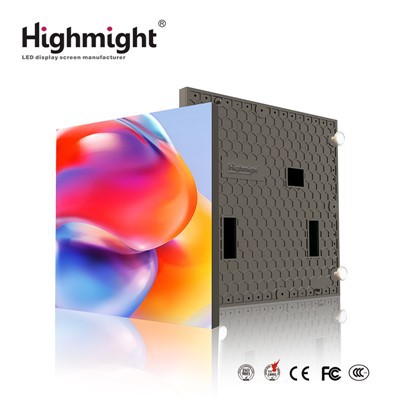
Hey there! As a supplier of P1.2 Small Pitch LED Displays, I've got a bunch of insights to share on how to manage the content on these amazing screens. P1.2 small pitch LED displays are top - notch when it comes to delivering high - quality visuals, whether you're using them for indoor events, corporate presentations, or retail advertising. Let's dive right in!
Understanding Your Audience
First things first, you need to know who's going to be looking at your display. Different audiences have different preferences and needs. For instance, if you're setting up a P1.2 Small Pitch LED Display in a corporate lobby, your content should be professional, maybe featuring company news, upcoming events, and some corporate branding. On the other hand, if it's in a shopping mall, the content can be more eye - catching and promotional, like flash sales and new product launches.
Content Planning
Once you know your audience, it's time to plan your content. Think about the overall message you want to convey. Are you trying to inform, entertain, or persuade? A good content plan should have a mix of different types of content. You can start with a high - impact video to grab people's attention right away. Then, follow it up with some static images that reinforce your message. And don't forget about text overlays. They can provide important details like prices, event times, or call - to - actions.
Video Content
Videos are a great way to engage your audience. When creating video content for a P1.2 small pitch LED display, make sure it has high resolution. Since these displays have a small pixel pitch, they can show incredibly detailed images, so blurry or low - res videos just won't cut it. Also, keep the video short and sweet. People have short attention spans, especially in public places. A 15 - 30 second video can be very effective. You can create your own videos in - house or hire a professional video production company to do it for you.
Image Content
Images are another important part of your content mix. Choose images that are relevant to your message and are visually appealing. High - quality photos with bright colors and sharp details work best on a Led Display Screen Indoor. You can use stock images if you're on a budget, but make sure they're not overused. You can also take your own photos to add a personal touch. And remember to resize the images properly to fit the display's aspect ratio.
Text Content
Text should be clear and easy to read. Use a simple, bold font that stands out. Avoid using too much text at once. Break it up into short, concise sentences or bullet points. You can use text overlays on videos or images to add more information. For example, if you're showing a product image, you can overlay the product name, features, and price. Make sure the text color contrasts well with the background so that it's visible from a distance.


Scheduling Your Content
Once you've created all your content, you need to schedule it properly. You don't want to show the same thing all the time. A good approach is to create a content schedule that rotates different types of content throughout the day. For example, in the morning, you can show more informational content, like news and announcements. In the afternoon, switch to more promotional content. You can use content management software to automate this process. This software allows you to upload your content, set the schedule, and even control multiple displays from one central location.
Content Updates
Keep your content fresh by updating it regularly. This will keep your audience interested and coming back for more. You can update your content based on seasons, holidays, or new product releases. For example, during the Christmas season, you can add some festive content to your display. And if you launch a new product, make sure to feature it right away.
Testing Your Content
Before you go live with your content, it's important to test it on the Led Display Board. Check how it looks from different angles and distances. Make sure the colors are accurate, the text is readable, and the videos play smoothly. You can also get feedback from others, like colleagues or friends. They may notice something that you missed.
Monitoring and Analytics
Once your content is up and running, it's a good idea to monitor it and gather analytics. You can use sensors or cameras to track how many people are looking at your display, how long they're looking, and which content gets the most attention. This data can help you improve your content strategy. For example, if you find that a particular video is getting a lot of views, you can show it more often or create similar content.
Technical Considerations
When managing content on a P1.2 small pitch LED display, there are also some technical things to keep in mind. Make sure your display has a stable power supply. A power outage can cause your content to stop playing and may even damage the display. Also, keep the display clean and dust - free. Dirt and dust can affect the image quality. And regularly check the software and firmware of your display to make sure they're up - to - date.
Conclusion
Managing the content on a P1.2 small pitch LED display is a combination of understanding your audience, planning your content, and using the right tools and techniques. By following these tips, you can create engaging and effective content that will make your display stand out. If you're interested in purchasing a P1.2 Small Pitch LED Display or need more advice on content management, feel free to reach out. We're here to help you make the most of your display and create a great visual experience for your audience.
References
- "LED Display Technology Handbook"
- Industry reports on digital signage and content management