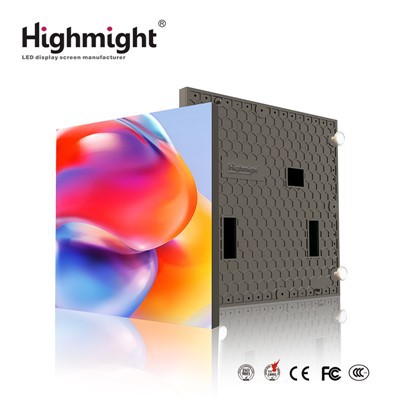
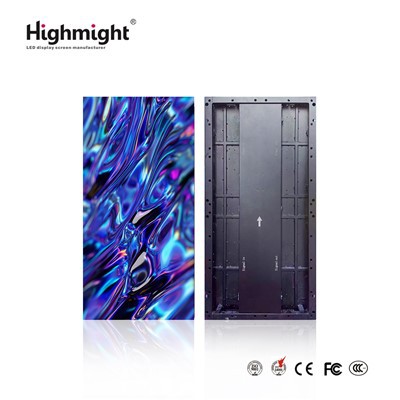
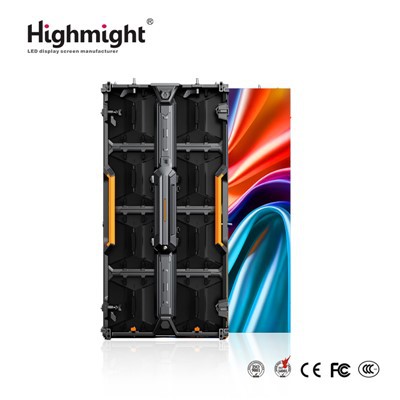
Hey there! As a supplier of Outdoor LED Display Module, I've seen firsthand how important it is to get the gamma value right for these displays. In this blog, I'm gonna share with you some tips on how to adjust the gamma value of an outdoor LED display module.
First off, let's talk about what gamma is. Gamma is basically a measure of how the display translates the input signal into the brightness of the pixels. It affects the contrast and color accuracy of the display. A proper gamma setting can make the images and videos on the outdoor LED display look more vivid, with better shadow details and a more natural color balance.
Why Adjusting Gamma is Crucial for Outdoor LED Displays
Outdoor environments are quite different from indoor ones. The sunlight, for example, can be really harsh and bright. If the gamma value of the LED display isn't adjusted properly, the display might look washed - out during the day, or the colors might seem too dark at night.
Imagine you've got a high - end High Brightness Outdoor LED Module installed in a busy city square. If the gamma is off, people passing by won't be able to see the content clearly. Whether it's an advertisement or a public announcement, the whole point of having an outdoor LED display is to catch people's attention and convey the message effectively. That's why getting the gamma right is super important.
Tools Needed for Gamma Adjustment
Before you start adjusting the gamma value, you'll need a few tools. The most important one is a colorimeter or a spectrophotometer. These devices can measure the color and brightness of the display accurately. You'll also need a computer with the appropriate software that can communicate with the LED display controller.
If you don't have these professional tools, some basic calibration software that comes with the display controller can also do the job to some extent. But for the best results, it's recommended to use a proper color - measuring device.
Step - by - Step Guide to Adjusting Gamma
Step 1: Prepare the Display
First, make sure the outdoor LED display is turned on and has been running for at least 30 minutes. This allows the LEDs to reach a stable operating temperature, which can affect the color and brightness. Also, clean the surface of the display to remove any dust or dirt that might interfere with the measurement.
Step 2: Set the Initial Conditions
You need to set the initial conditions for the adjustment. This includes setting the display to a neutral input signal, like a gray - scale image. This way, you can focus on adjusting the gamma without being distracted by colors.
The ambient light conditions also matter. Try to adjust the gamma at a time when the ambient light is stable. For example, if you're doing the adjustment during the day, make sure it's not a cloudy day with constantly changing light levels.
Step 3: Measure the Current Gamma
Use the colorimeter or spectrophotometer to measure the current gamma value of the display. Connect the device to the computer and run the calibration software. The software will guide you through the process of taking readings from different parts of the display.
The software will then generate a gamma curve based on the measurements. This curve shows how the display responds to different input levels.
Step 4: Make Adjustments
Based on the measured gamma curve, you can start making adjustments. The goal is to achieve a gamma value that is appropriate for the outdoor environment. A common gamma value for outdoor LED displays is around 2.2, but this can vary depending on the specific application and the ambient light conditions.
Most display controllers have a gamma adjustment function. You can use this function to tweak the gamma curve. You might need to make several small adjustments and then re - measure the gamma until you get the desired result.
Step 5: Check the Results
After making the adjustments, display some test images and videos on the outdoor LED display. Check the color accuracy, contrast, and overall visual quality. Make sure there are no obvious color banding or uneven brightness issues.


If you're still not satisfied with the results, you can go back and make further adjustments. It might take a few tries to get it just right.
Energy - Saving Considerations
When adjusting the gamma value, it's also important to think about energy savings. Energy - saving Outdoor LED Modules are becoming more and more popular, and a proper gamma setting can contribute to energy efficiency.
For example, by adjusting the gamma to reduce the brightness during low - light conditions (like at night), you can save a significant amount of energy. At the same time, you still need to ensure that the display remains visible and the content is clear.
Troubleshooting Common Issues
Sometimes, you might run into some problems during the gamma adjustment process. Here are some common issues and how to fix them:
Uneven Gamma Across the Display
If you notice that the gamma is different in different parts of the display, it could be due to a problem with the LEDs or the display controller. Check the connections between the modules and the controller. You might also need to replace any faulty LEDs.
Color Inconsistencies
Color inconsistencies can occur if the LEDs are not properly calibrated. Make sure all the LEDs are from the same batch and have similar color characteristics. If the problem persists, you might need to recalibrate the entire display.
Conclusion
Adjusting the gamma value of an outdoor LED display module is a crucial step in ensuring its optimal performance. By following the steps I've outlined above and using the right tools, you can achieve a display with great color accuracy, contrast, and visual appeal.
If you're in the market for high - quality outdoor LED display modules or need more advice on gamma adjustment and other technical aspects, feel free to reach out to us. We're always here to help you make the most of your outdoor LED display.
References
- "LED Display Technology Handbook" - A comprehensive guide on LED display technology, including gamma adjustment.
- Industry reports on outdoor LED display performance and calibration.