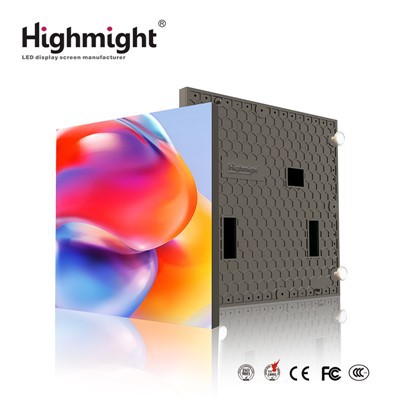
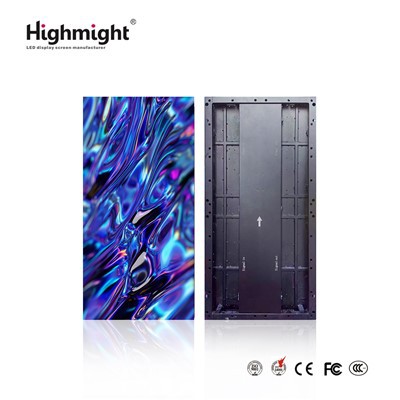
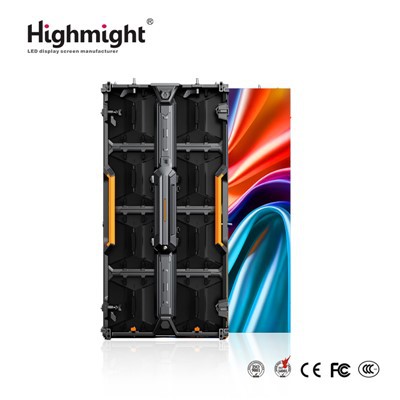
As a leading supplier of indoor rental LED displays, I understand the importance of ensuring the quality of these displays before they are rented out. High-quality indoor LED displays not only provide a better visual experience for events but also reflect positively on your brand. In this blog, I'll share some essential steps and methods to test the quality of indoor rental LED displays, helping you make informed decisions when renting.
1. Visual Inspection
Before conducting any technical tests, a thorough visual inspection is the first step. Start by checking the physical appearance of the LED display. Look for any visible damage such as cracks, scratches, or dents on the cabinet or the LED modules. These physical damages can not only affect the aesthetics of the display but may also lead to more serious issues during operation.
Next, examine the alignment of the LED modules. A well - assembled display should have seamless joints between modules. Misaligned modules can cause uneven lighting and disrupt the overall visual effect. Check the color consistency of the display under normal lighting conditions. Any significant color variations across the screen may indicate problems with the LED chips or the color calibration.
2. Pixel Testing
Pixels are the building blocks of an LED display, and their proper functioning is crucial for a high - quality image. One of the simplest ways to test pixels is by displaying a solid - color screen, such as white, black, red, green, and blue. A white screen can help you identify dead pixels (pixels that do not light up), while a black screen can reveal stuck pixels (pixels that are always on).
For a more comprehensive pixel test, you can use specialized pixel - testing software. These software programs can generate various patterns, including checkerboards, stripes, and gradients, to test the response and accuracy of each pixel. Pay close attention to any abnormal pixels, such as flickering, color - shifting, or non - responsive ones.
3. Brightness and Contrast Testing
Brightness and contrast are two key factors that determine the visibility and clarity of the content on an LED display. To test the brightness, use a luminance meter to measure the intensity of light emitted from different areas of the screen. A high - quality indoor rental LED display should have a uniform brightness distribution across the entire screen.
To test the contrast, display an image with a combination of bright and dark elements. The display should be able to clearly distinguish between the light and dark areas, with deep blacks and bright whites. A low - contrast display will make the image look washed out and lack detail. When testing, make sure to adjust the brightness and contrast settings to their optimal levels according to the ambient lighting conditions of the intended rental venue.
4. Color Accuracy Testing
Color accuracy is essential for reproducing vivid and realistic images. To test the color accuracy of an indoor rental LED display, use a color - calibration device, such as a colorimeter. This device can measure the color temperature, color gamut, and color accuracy of the display.
Compare the measured color values with the standard color values. A high - quality display should be able to reproduce a wide range of colors accurately, with minimal color deviation. You can also display color - rich images, such as nature scenes or product photos, to visually assess the color accuracy.
5. Refresh Rate Testing
The refresh rate of an LED display determines how often the image on the screen is updated. A higher refresh rate results in smoother motion and reduces the risk of motion blur, especially when displaying fast - moving content such as videos or live sports.
To test the refresh rate, display a video with fast - moving objects or a strobe - like pattern. If the display has a low refresh rate, you may notice flickering or blurring in the moving parts of the image. Some advanced LED displays come with built - in refresh - rate testing features, or you can use specialized testing equipment to measure the actual refresh rate.
6. Signal Transmission Testing
A stable signal transmission is crucial for a seamless display experience. Test the signal transmission by connecting the LED display to different signal sources, such as a computer, a media player, or a video camera. Check for any signal loss, delay, or interference during the connection.
Use different types of cables, such as HDMI, DVI, or VGA, to ensure compatibility and reliability. If possible, test the signal transmission over a long - distance cable to simulate real - world rental scenarios. A high - quality indoor rental LED display should be able to receive and display the signal accurately and without any noticeable issues.
7. Temperature and Heat Dissipation Testing
During operation, LED displays generate heat, and proper heat dissipation is essential to maintain their performance and lifespan. Use an infrared thermometer to measure the temperature of different parts of the display, especially the LED modules and the power supply.
A well - designed indoor rental LED display should have an efficient heat - dissipation system that keeps the temperature within a safe range. If the temperature is too high, it may indicate problems with the cooling system, which can lead to reduced performance and even damage to the display over time.
8. Software and Control System Testing
Most modern indoor rental LED displays are controlled by software, which allows for easy content management and display configuration. Test the software and control system by accessing the display's control panel and adjusting various settings, such as brightness, contrast, color, and content playback.


Check if the software is user - friendly and responsive. Try uploading different types of content, including images, videos, and presentations, to ensure compatibility and smooth playback. A reliable control system should be able to handle multiple display configurations and support real - time content updates.
Conclusion
Testing the quality of indoor rental LED displays before renting is a comprehensive process that involves multiple aspects, from visual inspection to technical performance testing. By conducting these tests, you can ensure that the display you rent meets your quality standards and provides a great visual experience for your event.
If you are looking for a high - quality indoor rental LED display, we offer a wide range of options, including High - resolution Indoor LED Rental Display, Rent Indoor LED Screen, and Custom Indoor LED Rental Display. Our displays are rigorously tested to ensure the highest quality and performance.
If you have any questions or would like to discuss your rental needs, please feel free to contact us. We are here to provide you with the best solutions and support for your indoor LED display rental requirements.
References
- LED Display Technology Handbook, published by a leading industry publisher.
- Professional Audio - Visual Association (PAVA) guidelines on LED display quality standards.
- Industry research reports on indoor rental LED display performance and testing methods.