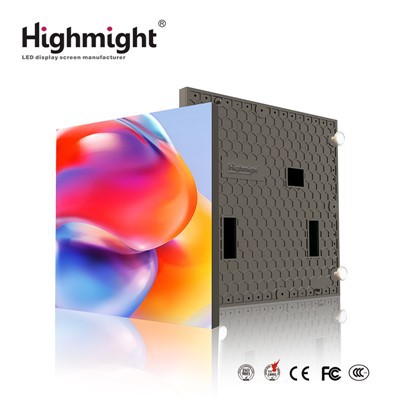
As a provider of flexible LED displays, I've witnessed firsthand the dynamic evolution of content creation for these innovative display solutions. Flexible LED displays offer unparalleled versatility, enabling their use in a wide array of settings, from curved architectural installations to portable advertising boards. In this blog post, I'll explore the various tools that can be employed to create captivating content for flexible LED displays, catering to different needs and skill levels.
Graphic Design Software
Graphic design software is the cornerstone of content creation for flexible LED displays. These tools allow designers to craft visually stunning images and animations that can be tailored to fit the unique shape and curvature of flexible LED panels.


Adobe Photoshop: A household name in the graphic design industry, Adobe Photoshop is a powerful tool for creating high - resolution images. Its extensive range of features, such as layer management, color correction, and advanced retouching capabilities, make it ideal for designing static content for flexible LED displays. Designers can use Photoshop to create eye - catching advertisements, brand logos, and artistic visuals. For example, if you're creating a display for a fashion brand, you can use Photoshop to enhance product images, adjust colors to match the brand palette, and add text overlays.
Adobe Illustrator: When it comes to creating vector - based graphics, Adobe Illustrator is the go - to software. Vector graphics are resolution - independent, which means they can be scaled up or down without losing quality. This is particularly important for flexible LED displays, as they can come in various sizes and shapes. Illustrator is perfect for creating logos, icons, and simple animations. You can design a sleek corporate logo in Illustrator and then export it in a format suitable for your flexible LED display, ensuring sharp and clear visuals.
CorelDRAW: Another popular graphic design software, CorelDRAW, offers a comprehensive set of tools for creating and editing graphics. It has a user - friendly interface and is known for its strong typography and illustration capabilities. CorelDRAW is a great option for designers who are looking for an alternative to Adobe products, especially those on a budget. You can use CorelDRAW to design detailed posters and brochures that can be adapted for flexible LED display content.
Animation Software
For creating engaging moving content on flexible LED displays, animation software is essential. These tools allow you to bring your designs to life and capture the attention of viewers.
Adobe After Effects: A leading animation and motion graphics software, Adobe After Effects is widely used in the industry for creating professional - quality animations. It offers a vast library of pre - built effects, transitions, and templates, which can significantly speed up the animation process. After Effects is capable of creating complex 2D and 3D animations, making it suitable for a wide range of applications. For instance, you can use it to create a dynamic product demonstration video for a flexible LED display in a trade show booth.
Blender: An open - source 3D creation suite, Blender is a powerful tool for creating 3D animations. It has a steep learning curve but offers a wealth of features, including modeling, texturing, rigging, and animation. Blender is ideal for creating immersive and interactive 3D content for flexible LED displays. You could create a 3D virtual tour of a new building using Blender and display it on a flexible LED installation in the building's lobby.
Toon Boom Harmony: If you're interested in creating traditional hand - drawn or 2D vector - based animations, Toon Boom Harmony is a great choice. It offers advanced drawing tools and features that allow you to create smooth and fluid animations. Toon Boom Harmony is commonly used in the animation industry for creating cartoons and animated commercials. You can use it to design a fun and engaging animated advertisement for a flexible LED display in a shopping mall.
Video Editing Software
Video content is a popular choice for flexible LED displays, as it can convey information quickly and effectively. Video editing software allows you to edit, enhance, and combine video clips to create a polished final product.
Adobe Premiere Pro: A professional - grade video editing software, Adobe Premiere Pro is widely used in the film and television industry. It offers a wide range of features, including multi - camera editing, color correction, and audio mixing. Premiere Pro is compatible with a variety of video formats and can handle high - resolution footage. You can use it to edit a promotional video for your flexible LED display, adding transitions, text overlays, and background music to make it more engaging.
Final Cut Pro X: Exclusive to Mac users, Final Cut Pro X is a powerful video editing software known for its intuitive interface and advanced editing features. It offers features such as magnetic timeline editing, which allows you to quickly arrange and edit video clips. Final Cut Pro X is a great option for independent filmmakers and content creators who want to create high - quality video content for flexible LED displays.
DaVinci Resolve: Originally known for its color correction capabilities, DaVinci Resolve has evolved into a comprehensive video editing software. It offers a free version with basic editing features, as well as a paid version with advanced tools. DaVinci Resolve is suitable for both beginners and professional editors. You can use it to edit a documentary - style video for a flexible LED display in a museum or art gallery.
Content Management Systems (CMS)
Once you've created your content, you need a way to manage and distribute it to your flexible LED displays. Content management systems (CMS) allow you to schedule, control, and update content across multiple displays.
BrightSign Network: BrightSign is a popular CMS that offers a user - friendly interface and a wide range of features. It allows you to manage content from a central location and schedule it to play at specific times on your flexible LED displays. BrightSign also offers analytics tools, which can help you track the performance of your content and make data - driven decisions.
Novisign: Novisign is another powerful CMS that is suitable for both small and large - scale deployments. It offers features such as remote management, content scheduling, and real - time monitoring. Novisign also supports a variety of media formats, including images, videos, and live feeds. You can use Novisign to manage the content on your flexible LED displays in different locations, ensuring that the right content is displayed at the right time.
Considerations for Content Creation
When creating content for flexible LED displays, there are several factors to consider. First, you need to take into account the shape and curvature of the display. Make sure your content is designed to fit the specific dimensions and shape of the flexible LED panel. Second, consider the viewing distance and angle. The content should be visible and legible from the intended viewing distance and angle. Third, keep in mind the lighting conditions of the installation site. If the display is located in a brightly lit area, you may need to use high - contrast colors and bright visuals to ensure that the content stands out.
In conclusion, there are a variety of tools available for creating content for flexible LED displays, each with its own strengths and capabilities. Whether you're a professional designer or a novice content creator, you can find the right tools to help you create captivating content that will make your flexible LED display stand out.
If you're interested in our High transparency LED crystal film screen or High Brightness Indoor Flexible Module, or have any questions about content creation for flexible LED displays, please don't hesitate to contact us. We're here to assist you in bringing your creative visions to life with our high - quality flexible LED display solutions.
References
- Adobe Systems Incorporated. (n.d.). Adobe Creative Cloud. Retrieved from Adobe official website.
- Corel Corporation. (n.d.). CorelDRAW Graphics Suite. Retrieved from Corel official website.
- Blender Foundation. (n.d.). Blender. Retrieved from Blender official website.
- Toon Boom Animation Inc. (n.d.). Toon Boom Harmony. Retrieved from Toon Boom official website.
- Blackmagic Design. (n.d.). DaVinci Resolve. Retrieved from Blackmagic Design official website.
- BrightSign LLC. (n.d.). BrightSign Network. Retrieved from BrightSign official website.
- Novisign Inc. (n.d.). Novisign. Retrieved from Novisign official website.