What is an Office LED Display, and why should you worry about it?
You know how important it is to be able to communicate clearly, share information, and make a good impression whether you work in or run a contemporary workplace. The appropriate tools make all the difference when you're leading meetings, greeting clients, or encouraging your staff. The Office LED display is one of the best improvements you can have right now.
What is an office LED display, then? Why is it vital, and how can it help you make memories that will last a lifetime?
We'll explain what an Office LED display is, why it's becoming a must-have in modern workplaces, and how it may change the way your organization works and interacts in this post. We'll also talk about the pros and cons of this technology and give you some useful advice on how to get the most out of it in your own business.

What Is an LED Display in an Office?
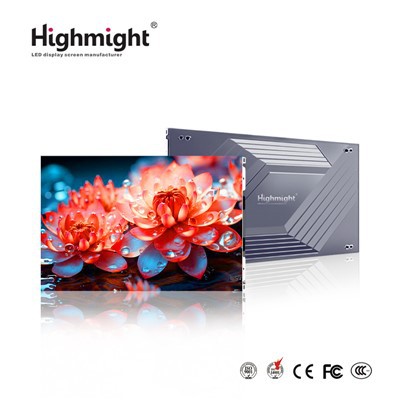
An Office LED display is a big digital panel that uses Light Emitting Diode (LED) technology to show images, videos, and text in bright, high-resolution clarity. LED displays employ hundreds or even millions of small LED bulbs as pixels to provide brilliant, smooth pictures. This is different from regular LCD TVs or projectors.
This new method makes displays that are bigger, smaller, consume less energy, and are far more versatile in how they may be used and set up. They may exhibit a variety of material, such as text, pictures, and videos, which makes them useful tools for today's workplaces.

Important Parts of an Office LED Display
Let's break down the most important pieces so we can better grasp how it works:
LED Modules/Panel Tiles: These are the basic building blocks of the display. They are circuit boards with groups of Light Emitting Diodes (LEDs) built into them. They act as the "pixels" of the display, lighting up in different colors and intensities to make pictures and words.
Cabinets and frames are sturdy boxes that hold the LED modules and give the structure its shape. A big, continuous display is made by putting together several cabinets. They frequently come with mounting hardware and parts that help get rid of heat.
Power Supply Units: These parts govern and send the right amount of electricity to the LED modules and control systems. Reliable power supply keep things running smoothly and protect delicate devices from harm.
Receiving/Control Cards: The control cards, also called receiving cards, interpret the incoming picture or video data and provide the right instructions to each LED module. This makes sure that the material is displayed correctly and in sync.
Data connections, sometimes called signal connectors, send video signals and control data between LED cabinets and from the control system to the display. Stable connections make sure that content plays back smoothly without any lag or bugs.
The "brains" of the system, the Main Controller/Sending Card gets pictures, video streams, or live data from outside sources (such computers or media players), analyzes them, and sends the signals to the receiving cards.
Why You Should Get an Office LED Display
Putting up an Office LED display isn't only a way to enhance your technology; it's also a smart investment that will help your business in many ways. Here's why every modern firm should think about adding LED screens to their office design:
Better teamwork and communication
Communication is very important in any business. Office LED Displays make it easier for teams to work together by giving them a shared visual space.
In meetings, complicated data visualizations and presentations may be shown properly, so everyone can understand and participate.
Using an LED display in the office means that everyone doesn't have to gather around a little laptop screen, which makes conversations more useful.
A place to get real-time information
In any office, meetings and presentations are important parts of the day. With an LED display, you can: • Share complicated spreadsheets, presentations, and visual data in crystal-clear resolution. • Show full-scale blueprints or drawings to teams in architecture, engineering, or creative fields.
Allow real-time screen sharing and easy transition between speakers to make meetings more interesting.
More engaged employees
Using LED screens to communicate with employees, such as to celebrate their successes or provide corporate news, may greatly improve morale.
Organizations may boost engagement and build a feeling of community by showing employees stuff that they can relate to.
Combining Styles
You may make LED displays that fit in with the look of the office. They come in a range of forms and sizes, so they can be easily added to workplace decor to improve the atmosphere and make it more welcoming.
Saving Money
LED displays may cost more up front than traditional displays, but they are a good choice for your wallet since they save you money in the long run by being more energy-efficient and needing less maintenance. They last a long time and use little electricity, which lowers the total cost of ownership.
Make health, safety, and well-being better
Put up screens to: • Remind workers of breaks for their health, fire drills, or emergency instructions.
• Send out HR messaging, health tips, or safety campaigns for the season.
Make operations and information flow more efficient
The contemporary office has to be able to get real-time information right away:
- Combine dashboards with KPIs, revenue numbers, or the status of workflows.
Show meeting room schedules, warnings, and directions.
• With just a few clicks, you can update all of your material at once-no more old posters or paper clutter.
Promote sustainability Objectives
LED screens are good for the environment:
• Uses less energy than LCD and plasma displays. • Cuts down on waste by doing rid of the requirement for single-use printed signs.
Important Features of Office LED Displays
Office LED displays come with a lot of new capabilities that help the modern office. Here are eight great reasons why they are important for today's office:
Ultra-High Brightness: LED displays are easy to read even when the workplace lights are quite bright.
Seamless Modular Design: Displays may be put together without any seams showing, making a single "screen wall" of any size or aspect ratio.
Fine Pixel Pitch: A high pixel density implies that even on huge displays, the images are crisp and clear. This is very important for close-up viewing in conference rooms.
Wide Viewing Angle: No matter where you are in the room, you can view the content clearly and brightly.
Flexible Installations: Displays may be put on walls, built into furniture, bent around columns, or even hung from ceilings.
Long Lifespan: Many commercial-grade LED displays survive more than 100,000 hours without losing color or quality over time.
Quick maintenance needs: support front and back servicing with quick LED module replacement.
Real-Time Content Management: Centralized control systems enable you update what's on every screen in your workplace right away, which is great for urgent messages.

What You Can Do with Office LED Displays
Buying a workplace LED display opens up new options that completely modify how your office works, talks to each other, and impresses. Here's what an LED display can do for your business:
Raise Working together and talking to each other
• Use clear, easy-to-use presenting tools to make your sessions more effective.
Give team leaders smart screens and programs that let them work together in real time.
• Help teams swiftly adjust to new goals or problems by allowing them to share information right away.
Make it modern Designing Workspaces: Get rid of old whiteboards, paper charts, and many displays and replace them with one digital solution.
Easily switch between uses: a presentation wall during meetings, digital signage when not in use, and "art" when not in use.
• Add architectural elements to your workstation to make it appear and feel better.
Make Clients and Stakeholders Happy
Make interactive presentations with video, animation, and live data sources.
Use the display as a "wow factor" in sales presentations, product demos, or briefings for executives.
• Strengthen a brand identity that is current and cutting-edge.
Make daily tasks easier and more efficient by automating them.
Use dashboards to make sure everyone is on the same page about project progress or sales goals.
• Make it possible to have secure video calls with big, always-on screens.
• Stream real-time company-wide meetings, health and safety updates, or HR alerts.
Make the employee experience better
• Give shout-outs in public locations of the office to celebrate successes.
Plan corporate announcements or games and quizzes that people may play.
• Support hybrid work by letting remote and on-site teams work together on digital canvases.
Get a better return on your investment
Cut down on the expense and waste of printed marketing or HR materials.
You should just upgrade the modules you require, not the whole screen.
• Use scheduling software and automation to keep your systems running as much as possible while using as little energy as possible.
Different kinds of LED displays for offices
Knowing the many kinds of LED displays can help you pick the one that works best in your business. The most prevalent ones are:
1. LED Displays with Fine Pitch
These are made to be used up close. The "pixel pitch," or the space between the centers of the LEDs, is very small-usually less than 2 millimeters-so the images are highly clear, which is great for conference rooms or boardrooms.
2. LED displays that can bend and flex
Some LED modules are made to bend, which lets you: place them on a curved wall or ceiling.
• Going around columns or other interesting architectural elements.
Creative displays, including circles, waves, or even forms in 3D.
3. LED Displays that are See-Through LED displays that let natural light through:
• Commonly used for conference rooms, glass walls, or reception spaces.
• Provides digital material without impeding sunshine or vistas.
4. LED Displays That Can Be Moved Around
These may be moved about the workplace as needed because they are on stands or trolleys. For instance, an LED poster screen.
• Great for temporary exhibitions, hosting events, or pop-up workspaces.
5. Solutions that do everything
• simple to install and plug-and-play; typically used in smaller meeting spaces. • Usually has a base for simple moving.
6. LED video walls that are made to order
• Made to fit your specific size, shape, or layout needs. • Great for branding on a wide scale, lobby displays, or command centers.
Important Things to Think About When Choosing an Office LED Display
To get the most out of your investment, you need to choose the best LED solution. Here are some important things to think about:
1. Pixel Pitch: This is the space between the centers of each pixel. A lower pixel pitch means a greater resolution.
For offices, especially in conference rooms or reception areas where people will be looking closely, use fine-pitch (≤2mm) alternatives for clear images.
2. Size of the Screen: Think about how big the area where you will be installing it is.
• Choose a screen size that fits both the room and the distance from which people would usually see it.
Larger rooms can use big video walls, while smaller workplaces may just require a tiny display.
3. Viewing Distance: The major factor in choosing pixel pitch is how close the viewers are; the closer they are, the finer the pitch has to be.
As a general rule, the distance you can see (in meters) is equal to the pixel pitch (in millimeters) times 1.
For a display with a 1.5mm pitch, the best viewing distance is 1.5 meters or greater.
4. Budget: The price might change a lot depending on the size, resolution, and features.
Take into account the overall cost of ownership, not just the original purchase. Think about things like upkeep, how long the item will last, and how much energy it will save.
Plan for possible modifications as your firm expands.
If you think about these things, you'll be able to choose the perfect Office LED Display that fits your demands and budget. To learn more about the pricing of LED screens, go here.
5. Putting it up and taking care of it
Does your location allow for wall-mounting, recessed embedding, or ceiling suspension?
• Check to see if the display you choose lets you reach the front or back for maintenance.
Check to see if the provider offers assistance, warranties, and other services.
6. Type of content and how often it is used
If you want to show fine elements like text, CAD drawings, or dashboards, make sure the resolution is high.
For signs, announcements, or movies, a bigger pixel pitch could be enough and save money.
Where to Put Office LED Displays
LED screens may be used in practically every workplace environment, including some imaginative and non-traditional ones. Here are some of the best places to install:
Rooms for Conferences and Meetings
• Help meetings be more effective by using big, easy-to-read screens. • Use for video conferencing, data presenting, brainstorming, and working together.
 Rooms for Breakouts and Huddles
Give agile teams tools for brainstorming and coming up with ideas that are participatory.
• Show project dashboards or shared digital workspaces in real time.
Offices for Executives and Boardrooms
• For making high-level presentations, developing strategies, and securing communications.
Make the experience better for executives, clients, and stakeholders.
Common Areas, Hallways, and Corridors
Send out company-wide news, safety alerts, and directions.
• Share quotations that inspire you, upcoming events, or praise for employees.
Floors and workspaces in open offices
Show KPIs in real time, reminders of deadlines, or the status of a workflow.
• Change up the motivating content, health suggestions, or success tales from your staff.
Unique Installations
Curved or column-mounted screens that are part of the building's design.
• Screens built into smart furniture or glass walls (transparent LED).
Final Thoughts
We have spoken about the most important parts of Office LED Displays in this post, such as what they are, how they work, and the many benefits they offer. If you're thinking about getting new communication tools for your office, it's important to know how these displays may help with teamwork, branding, and keeping employees interested.
An LED display may change the way your office or creative area looks and feels, making it better for both staff and customers. Please get in touch with us if you have any queries or need more information on how to use Office LED Displays in your business. We're here to help you get the most out of this new technology!