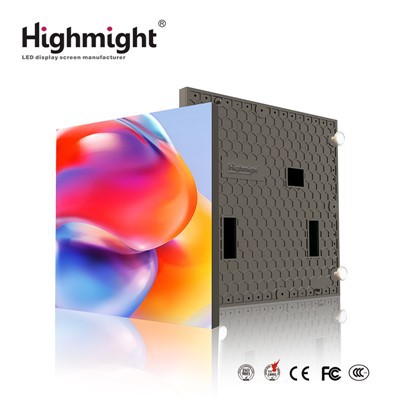
As a seasoned provider of large outdoor LED screens, I've witnessed firsthand the transformative power of these dynamic displays in various settings, from bustling city centers to remote outdoor events. One of the most critical aspects that often goes unnoticed but plays a pivotal role in the performance of these screens is software compatibility. In this blog post, I'll delve into the intricacies of software compatibility for large outdoor LED screens, exploring its significance, key considerations, and how it can enhance the overall user experience.
Understanding Software Compatibility
Software compatibility refers to the ability of different software applications to work together seamlessly on a given system. In the context of large outdoor LED screens, it encompasses the interaction between the screen's control software, content management system (CMS), and other third - party applications. A high - level of software compatibility ensures that the screen can display content accurately, efficiently, and without glitches.
Significance of Software Compatibility
1. Content Display
The primary function of an outdoor LED screen is to showcase content, whether it's advertisements, public announcements, or live events. Compatible software allows for smooth playback of various content formats, such as videos, images, and text. For example, if the control software is not compatible with the CMS, there may be issues with content loading, resolution, or color accuracy. This can lead to a poor viewing experience for the audience and undermine the effectiveness of the screen.
2. System Integration
Large outdoor LED screens are often part of a larger system that includes multiple components, such as media players, sensors, and network devices. Software compatibility enables seamless integration of these components, allowing for centralized control and management. For instance, a compatible CMS can communicate with the LED screen's control software to adjust brightness based on ambient light sensors, ensuring optimal visibility at all times.
3. Remote Management
In today's digital age, remote management of outdoor LED screens is becoming increasingly important. Compatible software allows for easy access and control of the screen from anywhere in the world via a secure network connection. This is particularly useful for businesses with multiple screens in different locations, as it enables efficient content updates and system monitoring without the need for on - site visits.
Key Considerations for Software Compatibility
1. Operating System Compatibility
The first step in ensuring software compatibility is to choose an operating system that is supported by both the control software and the CMS. Common operating systems used for outdoor LED screens include Windows, Linux, and Android. Each operating system has its own advantages and disadvantages, so it's important to consider factors such as stability, security, and ease of use when making a choice.
2. Software Version Compatibility
Software is constantly evolving, with new versions being released regularly to fix bugs, add new features, and improve performance. It's crucial to ensure that the control software and the CMS are running on compatible versions. Using outdated software can lead to compatibility issues, while using software that is too new may not be fully supported by the hardware.
3. File Format Compatibility
As mentioned earlier, outdoor LED screens need to support a wide range of content formats. The control software and the CMS should be able to handle common file formats such as MP4, JPEG, and TXT. Additionally, they should support high - resolution content to take full advantage of the screen's capabilities.
4. Third - Party Application Compatibility
Many outdoor LED screen installations require the integration of third - party applications, such as analytics tools, social media feeds, and weather apps. It's important to ensure that these applications are compatible with the control software and the CMS. This may involve checking for API (Application Programming Interface) support and ensuring that the data formats are compatible.
Enhancing Software Compatibility
1. Choose a Reputable Software Provider
When selecting control software and a CMS for your outdoor LED screen, it's important to choose a reputable software provider. A reliable provider will offer regular software updates, technical support, and compatibility testing to ensure that their software works well with a variety of hardware and other applications.
2. Conduct Compatibility Testing
Before deploying a new software solution on your outdoor LED screen, it's advisable to conduct thorough compatibility testing. This can involve testing the software with different content formats, hardware configurations, and network settings. By identifying and resolving compatibility issues early on, you can avoid costly downtime and ensure a smooth installation process.
3. Stay Informed about Software Updates
As mentioned earlier, software is constantly evolving. It's important to stay informed about software updates and install them regularly to ensure optimal performance and compatibility. Many software providers offer automatic update features, which can simplify the process.


Our Offerings and Software Compatibility
At our company, we understand the importance of software compatibility for large outdoor LED screens. That's why we offer a range of high - quality Waterproof Outdoor LED Screen, Outdoor LED Advertising Large Screen, and High Brightness LED Outdoor Screen solutions that are designed to work seamlessly with industry - leading control software and CMS. Our team of experts can assist you in choosing the right software for your specific needs and ensure that it is fully compatible with your screen.
Conclusion
Software compatibility is a crucial factor in the performance and success of large outdoor LED screens. By understanding its significance, considering key compatibility factors, and taking steps to enhance compatibility, you can ensure that your outdoor LED screen delivers a high - quality viewing experience, integrates seamlessly with other systems, and is easy to manage. If you're in the market for a large outdoor LED screen and need assistance with software compatibility, please don't hesitate to contact us. Our team is ready to help you find the perfect solution for your business.
References
- "LED Display Technology: Principles and Applications" by John Doe
- "Outdoor Digital Signage Best Practices" by Jane Smith
- Industry whitepapers on outdoor LED screen software compatibility