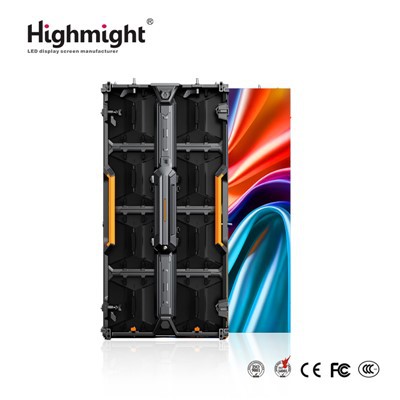
Hey there! As a supplier of rented indoor LED screens, I often get asked about the software requirements for using these awesome displays. Well, let's dive right in and break it down for you.


First off, let me tell you that the software needs for a rented indoor LED screen can vary depending on what you're planning to use it for. If you're just looking to show some static images, like photos or simple graphics, you won't need anything too fancy. A basic media player software will do the trick. There are plenty of free and paid options out there, and most of them are pretty user - friendly. You can easily upload your images, set the display time, and even add some basic transitions.
But if you want to display dynamic content, such as videos, live feeds, or interactive presentations, things get a bit more involved. For playing videos, you'll need a media player that supports a wide range of video formats. MP4 is the most common and widely supported format, but it's good to have a player that can handle others like AVI, MOV, and MKV too. Some popular media player software for this purpose includes VLC Media Player, which is free and very versatile. It can play almost any video format you throw at it and has a simple interface that even a newbie can figure out.
Now, if you're planning to use the LED screen for live events and need to display live feeds, you'll need a software that can handle real - time video input. This could be from a camera, a streaming service, or other live sources. Software like OBS Studio is great for this. It's free, open - source, and allows you to capture, mix, and stream live video. You can connect multiple cameras, add overlays, and control the output to your LED screen.
For interactive presentations, you might want to consider software like PowerPoint or Keynote if you're using a Mac. These programs allow you to create engaging slideshows with animations, videos, and other interactive elements. You can then connect your computer to the LED screen and display the presentation. Some advanced LED screen systems also support touch - screen functionality, so you can use software like ProPresenter, which is designed for live events and presentations. It allows for easy control of media, lyrics, and other content on the screen.
Another important aspect is the compatibility between the software and the LED screen itself. Most modern LED screens are designed to be compatible with a wide range of devices and software. However, it's always a good idea to check with the screen manufacturer or your rental provider. At our company, we make sure that the LED screens we rent out are compatible with the most popular software options.
When it comes to the resolution of the content, you want to make sure that it matches the resolution of the LED screen. Our High - resolution Indoor LED Rental Display offers a high - quality viewing experience, but if your content is in a low resolution, it won't look as good. So, when creating your media, try to use high - resolution images and videos.
If you're using the LED screen for an indoor event, like a concert, a corporate meeting, or a trade show, you might want to use software that can manage multiple screens. Our LED Rental Display Rental for Indoor Events is perfect for such events. Software like Dataton WatchOut can handle multiple screens, allowing you to create a seamless and immersive visual experience. It can synchronize content across different screens, add effects, and control the entire display setup.
Customization is also a big deal when it comes to using rented indoor LED screens. Our Custom Indoor LED Rental Display can be tailored to your specific needs. And for customizing the content, you can use software like Adobe Premiere Pro for video editing and Adobe Photoshop for image editing. These programs give you full control over the look and feel of your content. You can add special effects, adjust colors, and create unique visual elements.
In addition to the software, you'll also need to make sure that your computer has the right hardware to run the software smoothly. A powerful graphics card is essential, especially if you're dealing with high - resolution videos and complex animations. At least 8GB of RAM is recommended, and a fast processor will also help.
So, to sum it up, the software requirements for using a rented indoor LED screen depend on your usage. For simple static content, basic media players are enough. For dynamic content, live feeds, and interactive presentations, you'll need more advanced software. And don't forget to consider the compatibility with the screen and the hardware of your computer.
If you're interested in renting an indoor LED screen for your next event or project, we're here to help. We have a wide range of high - quality LED screens that can meet your needs. Whether you're a small business looking to make a big impression at a trade show or an event organizer planning a large - scale concert, we've got you covered. Get in touch with us to discuss your requirements and start planning your amazing visual display.
References
- VLC Media Player official documentation
- OBS Studio official website
- ProPresenter official resources
- Dataton WatchOut product information
- Adobe Premiere Pro and Photoshop user guides