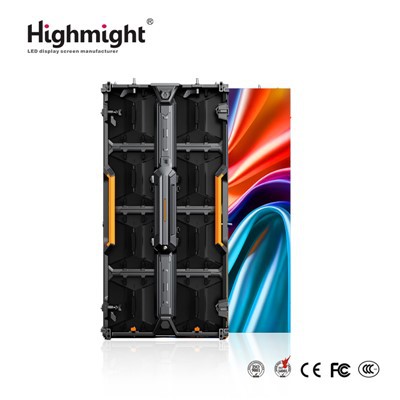
Troubleshooting problems with indoor LED modules is a crucial skill for anyone involved in the LED lighting industry, whether you're an installer, a maintenance technician, or a business owner. As an indoor LED module supplier, I've encountered a wide range of issues over the years and have developed effective strategies for diagnosing and resolving them. In this blog post, I'll share some common problems with indoor LED modules and provide step-by-step guidance on how to troubleshoot them.
1. No Power or Flickering Lights
One of the most common issues with indoor LED modules is a lack of power or flickering lights. This can be caused by several factors, including a faulty power supply, loose connections, or a damaged LED module.
Check the Power Supply
The first step in troubleshooting a power issue is to check the power supply. Ensure that the power supply is properly connected to the LED module and that it is receiving power. You can use a multimeter to test the voltage output of the power supply. If the voltage is not within the specified range for the LED module, the power supply may be faulty and need to be replaced.
Inspect the Connections
Loose or damaged connections can also cause power problems. Check all the connections between the power supply, the LED module, and any other components in the system. Make sure that the wires are securely plugged in and that there are no signs of corrosion or damage. If you find any loose connections, tighten them or replace the connectors as needed.
Test the LED Module
If the power supply and connections are working properly, the problem may be with the LED module itself. You can test the LED module by connecting it to a known working power supply. If the module still does not light up or flickers, it may be damaged and need to be replaced. You can find a variety of high-quality Indoor Led Display on our website that are designed to provide reliable performance.
2. Color Inconsistency
Another common issue with indoor LED modules is color inconsistency. This can manifest as uneven color distribution across the display or a difference in color between different modules.
Check the Color Temperature
Color temperature is an important factor in LED lighting. Different LED modules may have different color temperatures, which can cause color inconsistencies. Make sure that all the LED modules in your system have the same color temperature. You can usually find the color temperature information on the product specifications sheet.
Inspect the Dimming Settings
Dimming settings can also affect color consistency. If the LED modules are being dimmed, make sure that they are all being dimmed to the same level. Inconsistent dimming can cause color variations. Some LED modules may have different dimming curves, so it's important to use compatible dimming controls.
Replace Damaged Modules
If you notice a significant color difference between individual LED modules, it's possible that one or more modules are damaged. Replace the damaged modules with new ones to restore color consistency. Our Modular Led Light Panels are designed for easy replacement, making it simple to maintain a uniform appearance.
3. Overheating
Overheating can cause a variety of problems with indoor LED modules, including reduced lifespan, color shifting, and even complete failure.
Check the Ventilation
Proper ventilation is essential for preventing overheating. Make sure that the LED modules are installed in a well-ventilated area. Avoid installing them in enclosed spaces or near sources of heat. If necessary, you can install additional ventilation fans or heat sinks to help dissipate heat.
Inspect the Heat Sinks
Heat sinks are designed to absorb and dissipate heat from the LED modules. Check the heat sinks to make sure that they are clean and free of debris. If the heat sinks are blocked, they may not be able to effectively transfer heat away from the modules. Clean the heat sinks regularly to ensure optimal performance.
Reduce the Load
If the LED modules are being overloaded, they may overheat. Make sure that you are not exceeding the recommended load capacity of the power supply or the LED modules. If necessary, reduce the number of modules in the system or use a higher-capacity power supply.
4. Moisture Damage
Moisture can cause serious damage to indoor LED modules, leading to corrosion, short circuits, and other problems.
Use Moisture-Proof Modules
To prevent moisture damage, it's important to use Moisture-proof LED Module. These modules are designed with special coatings and seals to protect them from moisture. Make sure that the modules you choose are rated for the level of moisture protection required for your application.


Check the Installation Environment
Inspect the installation environment to make sure that there are no sources of moisture, such as leaks or high humidity. If the area is prone to moisture, you may need to install additional moisture barriers or dehumidifiers.
Dry Out the Modules
If the LED modules have been exposed to moisture, you can try to dry them out. Remove the modules from the power supply and let them air dry in a warm, dry place for several hours. If the damage is severe, the modules may need to be replaced.
5. Pixel Failure
Pixel failure is a common issue in LED displays, where individual pixels stop working or display incorrect colors.
Identify the Failed Pixels
The first step in troubleshooting pixel failure is to identify the failed pixels. This can usually be done by visually inspecting the display. Look for pixels that are not lighting up, are constantly on, or are displaying the wrong color.
Check the Data and Power Connections
Pixel failure can sometimes be caused by loose or damaged data and power connections. Check all the connections between the LED modules and the control system. Make sure that the cables are securely plugged in and that there are no signs of damage.
Replace the Failed Modules
If the problem is with a specific pixel or group of pixels, you may need to replace the affected LED module. Most LED modules are designed to be easily replaceable, allowing you to quickly fix the issue and restore the display to normal operation.
Conclusion
Troubleshooting problems with indoor LED modules requires a systematic approach and a basic understanding of how the systems work. By following the steps outlined in this blog post, you can effectively diagnose and resolve common issues such as power problems, color inconsistency, overheating, moisture damage, and pixel failure.
If you're experiencing problems with your indoor LED modules or need help selecting the right products for your project, don't hesitate to contact us. We're an experienced indoor LED module supplier, and our team of experts is ready to assist you with all your LED lighting needs. Whether you're looking for a single replacement module or a complete LED display system, we can provide you with high-quality products and professional advice.
References
- LED Lighting Handbook, Third Edition, by Bob Johnstone
- Lighting Controls Association (LCA) Technical Guides
- National Electrical Manufacturers Association (NEMA) Standards for LED Lighting