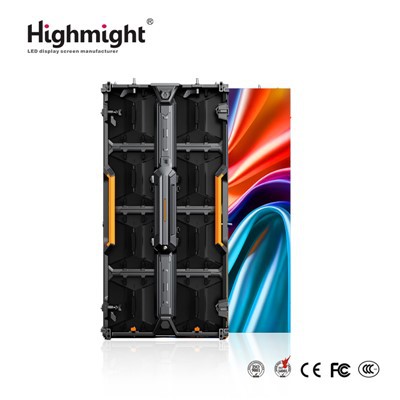
As a leading supplier of LED floor tile screens, I'm well - versed in the software requirements that are crucial for controlling these innovative displays. In this post, I'll delve into the key software aspects that ensure seamless operation, stunning visual effects, and user - friendly management of LED floor tile screens.
Compatibility and System Integration
One of the primary software requirements is compatibility with different operating systems and hardware configurations. Our LED floor tile screens are designed to work with a variety of setups, so the control software must be adaptable. It should support major operating systems such as Windows, macOS, and Linux. This cross - platform compatibility allows our clients to use the software on their preferred devices without any hassle.
For example, a corporate event planner might want to use a Windows - based laptop to control the LED floor tile screen during a product launch. On the other hand, a museum curator could prefer a macOS device for a more intuitive user experience. The software's ability to integrate with these diverse systems ensures that all users can access and operate the LED floor tile screens effectively.
Moreover, the software should be able to communicate with other hardware components such as media players, controllers, and sensors. It needs to establish a stable connection with these devices to synchronize data and commands. This integration is essential for creating dynamic and interactive displays. For instance, when combined with motion sensors, the software can detect the movement of people on the LED floor tile screen and trigger corresponding visual effects.
User - Interface Design
A user - friendly interface is a must for the software that controls LED floor tile screens. The interface should be intuitive, allowing even non - technical users to operate the system with ease. It should provide clear and concise controls for tasks such as image and video playback, color adjustment, and pattern selection.
The layout of the interface should be well - organized, with easily accessible buttons and menus. For example, there should be a dedicated section for media management, where users can upload, edit, and schedule content to be displayed on the LED floor tile screen. The software should also offer a preview function, enabling users to see how the content will look on the actual screen before publishing it.
In addition, the interface should support multi - touch gestures on touch - enabled devices. This feature enhances the user experience, allowing for more natural and precise control. For example, users can zoom in and out of images, rotate patterns, and swipe through different content pages using simple touch gestures.
Content Management
Effective content management is another critical software requirement. The software should provide a comprehensive set of tools for creating, editing, and scheduling content. It should support various file formats, including JPEG, PNG, MP4, and AVI, to ensure that users can use a wide range of media assets.
For creating custom content, the software should offer features such as text editing, image manipulation, and animation creation. Users can add text overlays to their videos, adjust the color and contrast of images, and create simple animations to enhance the visual appeal of the displays.
The scheduling function is also vital. Users should be able to set up a schedule for content playback, specifying the start and end times, as well as the order in which different pieces of content will be shown. This is particularly useful for events with a fixed timeline, such as concerts or conferences. For example, a concert organizer can schedule different visual effects and videos to correspond with the different segments of the performance.
Visual Effects and Animation
The software should support a wide range of visual effects and animations to make the LED floor tile screens more engaging. These effects can include fading, flashing, color transitions, and 3D animations. By applying these effects, users can create dynamic and eye - catching displays that capture the attention of the audience.
For example, a retail store can use color - changing effects on the LED floor tile screen to attract customers and highlight new products. A theme park can create 3D animations of characters and scenes to enhance the immersive experience for visitors.
The software should also allow users to customize these effects according to their specific needs. They can adjust parameters such as the speed, intensity, and duration of the effects. This flexibility enables users to create unique and personalized displays that align with their brand identity and event theme.
Real - Time Monitoring and Troubleshooting
Real - time monitoring is an important feature of the software. It should continuously monitor the status of the LED floor tile screen, including factors such as temperature, brightness, and power consumption. By providing real - time data, users can detect potential issues early and take preventive measures.
For example, if the temperature of the screen exceeds a certain threshold, the software can send an alert to the user, indicating a possible overheating problem. The user can then take steps to cool down the screen or adjust the settings to reduce power consumption.
In addition, the software should offer troubleshooting tools to help users resolve common problems. It can provide diagnostic reports and error messages that guide users through the process of identifying and fixing issues. For example, if there is a connection problem between the software and the LED floor tile screen, the software can provide step - by - step instructions on how to re - establish the connection.
Security and Data Protection
Security is a top priority for the software that controls LED floor tile screens. The software should implement robust security measures to protect the system from unauthorized access, data breaches, and malware attacks.
It should use encryption techniques to secure the data transmitted between the software and the LED floor tile screen. This ensures that the content and commands are protected from interception and tampering. In addition, the software should require user authentication, such as a username and password, to access the system. This prevents unauthorized users from making changes to the display settings or content.


Data protection is also crucial. The software should provide backup and recovery functions to safeguard important data, such as media files and scheduling information. In case of a system failure or data loss, users can easily restore their data and resume normal operation.
Scalability
As businesses grow and their needs change, the software that controls LED floor tile screens should be scalable. It should be able to handle an increasing number of screens, higher - resolution content, and more complex visual effects.
For example, a large - scale event organizer may start with a small LED floor tile screen setup but later expand it to cover a larger area. The software should be able to accommodate this expansion without any significant performance degradation. It should also support the addition of new features and functions as technology advances.
Compatibility with High - End Screens
Our company offers a range of high - end LED floor tile screens, such as the High Resolution LED Floor Screen, High Brightness LED Floor Screen, and Color LED Floor Screen. The control software needs to be fully compatible with these screens to take advantage of their advanced features.
For high - resolution screens, the software should support high - quality image and video playback without any loss of detail. It should be able to handle large file sizes and high - frame - rate content to ensure smooth and sharp visuals.
For high - brightness screens, the software should be able to adjust the brightness level accurately to optimize the display in different lighting conditions. It should also support color calibration to ensure that the colors on the screen are accurate and vibrant.
For color LED floor screens, the software should provide precise control over the color palette. It should allow users to create and customize a wide range of colors and color combinations, enabling them to create unique and stunning visual effects.
Conclusion
In conclusion, the software requirements for controlling LED floor tile screens are diverse and complex. It needs to be compatible with different operating systems and hardware devices, feature a user - friendly interface, offer comprehensive content management tools, support a wide range of visual effects and animations, provide real - time monitoring and troubleshooting, ensure security and data protection, and be scalable.
As a supplier of LED floor tile screens, we understand the importance of these software requirements. We are committed to developing and providing high - quality software solutions that meet the needs of our clients. Whether you are a corporate event planner, a retail store owner, or a theme park operator, our LED floor tile screens and control software can help you create engaging and memorable displays.
If you are interested in our LED floor tile screens and want to learn more about the software that controls them, or if you have any specific requirements for your project, please contact us for a detailed consultation. We look forward to working with you to bring your creative ideas to life.
References
- "LED Display Technology: Principles and Applications" by John Doe
- "User - Interface Design for Interactive Displays" by Jane Smith
- "Content Management Systems for Digital Signage" by Tom Brown