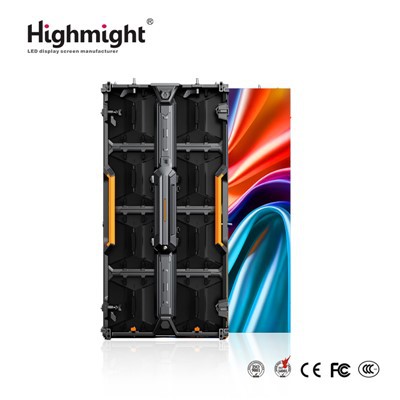
Hey there! As a supplier of COB Small Pixel Pitch displays, I'm often asked about the software requirements for operating these high - tech screens. In this blog, I'll break down the essential software aspects you need to know to get the most out of your COB Small Pixel Pitch display.
1. Display Configuration Software
First up, you'll need display configuration software. This type of software is like the blueprint for your display. It allows you to set up the physical layout of your COB Small Pixel Pitch display. You can define the number of panels, their arrangement (whether they're in a horizontal, vertical, or even a custom - shaped configuration), and the resolution for each panel.
For instance, if you're setting up a large - scale video wall using multiple COB Small Pixel Pitch panels, the configuration software will let you stitch these panels together seamlessly. It'll ensure that there are no gaps or misalignments in the image displayed across the entire wall. Some popular display configuration software in the market is user - friendly, with drag - and - drop interfaces that make it easy even for non - techies to set up their displays.
2. Content Management System (CMS)
A Content Management System, or CMS, is a must - have for operating COB Small Pixel Pitch displays. Think of it as the control center for all the content you want to show on your screen. With a CMS, you can create, schedule, and manage different types of content, such as videos, images, text, and live feeds.
Let's say you're using a COB Small Pixel Pitch display in a retail store. You can use the CMS to schedule promotional videos during peak shopping hours, display product images and descriptions, and even show real - time inventory levels. It gives you the flexibility to change the content on the fly, depending on your business needs.
Most modern CMSs come with cloud - based storage, which means you can access and manage your content from anywhere with an internet connection. They also support multi - user access, so different team members can have different levels of control over the content.
3. Color Calibration Software
Color accuracy is crucial when it comes to COB Small Pixel Pitch displays. After all, you want your images and videos to look as vibrant and true - to - life as possible. That's where color calibration software comes in.
This software allows you to adjust the color settings of your display, such as brightness, contrast, hue, and saturation. It ensures that the colors on your screen match the original source material. For example, if you're displaying a high - definition movie trailer, color calibration software will make sure that the reds are red, the blues are blue, and the skin tones look natural.
Some color calibration software uses advanced algorithms and sensors to automatically adjust the color settings based on the ambient light conditions. This is especially useful in environments where the lighting can change throughout the day, like in an outdoor setting or a museum.
4. Monitoring and Diagnostic Software
To keep your COB Small Pixel Pitch display running smoothly, you'll need monitoring and diagnostic software. This software continuously monitors the performance of your display, checking for things like temperature, power consumption, and pixel health.
If there's a problem with the display, such as a dead pixel or overheating, the monitoring and diagnostic software will alert you immediately. It can also provide detailed reports on the performance of the display over time, which can be useful for maintenance and troubleshooting.
For example, if you notice that the power consumption of your display has suddenly increased, the software can help you identify if there's an issue with a particular panel or component. This early detection can save you a lot of time and money in the long run.
5. Compatibility and Integration
When choosing software for your COB Small Pixel Pitch display, compatibility is key. You need to make sure that the software you choose is compatible with your display's hardware. This includes things like the display controller, the input/output interfaces, and the communication protocols.
Integration with other systems is also important. For example, if you're using your display in a corporate environment, you might want it to integrate with your existing video conferencing software or your internal network. This will allow you to share content easily and use the display as part of your overall communication infrastructure.


6. User Training and Support
Even the best software won't be much use if you don't know how to use it. That's why it's important to choose a software provider that offers comprehensive user training and support.
Most software providers offer online tutorials, user manuals, and even on - site training for larger installations. They also have dedicated support teams that can help you with any technical issues you might encounter.
7. Security Software
In today's digital age, security is a major concern. Your COB Small Pixel Pitch display is connected to the internet, which means it's vulnerable to cyber threats. That's why you need to install security software to protect your display and the content on it.
Security software can prevent unauthorized access to your display, protect against malware and viruses, and ensure the integrity of your content. It can also encrypt the data transmitted between your display and the software, keeping it safe from prying eyes.
8. Software Updates
Finally, don't forget about software updates. Software providers regularly release updates to fix bugs, improve performance, and add new features. It's important to keep your software up - to - date to ensure that your COB Small Pixel Pitch display is running at its best.
Most software can be updated automatically, but it's a good idea to check for updates regularly and install them as soon as they're available.
In conclusion, operating a COB Small Pixel Pitch display requires a combination of different software tools. From display configuration and content management to color calibration and security, each piece of software plays a crucial role in ensuring that your display performs at its best.
If you're in the market for a COB Small Pitch LED Screen or a COB Package Small Pitch LED Screen, and you have questions about the software requirements or need help choosing the right software, don't hesitate to reach out. We're here to help you make the most of your investment and create stunning visual experiences.
References
- Industry reports on LED display software trends
- Manufacturer's documentation for COB Small Pixel Pitch displays and related software
- User reviews and case studies of software used with COB Small Pixel Pitch displays