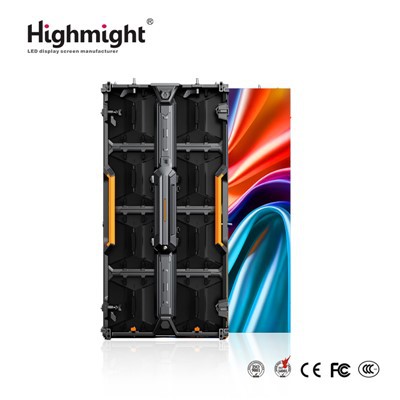
Hey there! As a supplier of P1.2 small pitch LED displays, I've seen my fair share of common problems that customers run into. In this blog post, I'm gonna walk you through how to troubleshoot these issues so you can keep your display running smoothly.
1. No Power
One of the most common problems is when the P1.2 small pitch LED display doesn't power on. First off, check the power cable. Make sure it's properly plugged into both the display and the power outlet. Sometimes, the cable can get loose over time, especially if there's been some movement around the display.
If the cable seems fine, take a look at the power switch on the display. Ensure it's turned on. It might sound obvious, but you'd be surprised how often this is overlooked.
Another thing to check is the circuit breaker. If it's tripped, reset it. A tripped breaker could mean there's an electrical issue with the display or something else on the same circuit.
If none of these steps work, it could be a problem with the power supply unit inside the display. At this point, it's best to contact a professional technician. We're always here to help if you need further assistance with Small Pitch Full Color LED Display.
2. Dead Pixels
Dead pixels are those annoying little dots that stay black or a single color on the screen. To check for dead pixels, you can display a solid color image on the screen. For example, a pure white image will make black dead pixels stand out, and a pure black image will make lit dead pixels more visible.
If you find dead pixels, don't panic. Some manufacturers offer a dead pixel policy. If the number of dead pixels is within their acceptable range, they might replace the display or the affected module.
In some cases, you can try using pixel-fixing software. There are a few free programs available online that flash different colors rapidly on the screen in an attempt to revive the dead pixels. However, this method doesn't always work, especially if the pixel is physically damaged.
3. Color Inconsistencies
Color inconsistencies can make your Led Display Board look uneven and unprofessional. One common cause is improper calibration. Most P1.2 small pitch LED displays come with calibration software. You can use this software to adjust the color settings, including brightness, contrast, and color temperature.


Another factor could be the environment. If the display is exposed to direct sunlight or other strong light sources, it can affect the color perception. Try to position the display in a location where it's not directly hit by light.
If the color issues persist after calibration and adjusting the environment, it could be a problem with the LED modules themselves. Some modules might have different color characteristics due to manufacturing variations. In this case, you may need to replace the affected modules.
4. Loose Connections
Loose connections can cause all sorts of problems, from flickering screens to complete loss of signal. Start by checking the video cables. Make sure they're securely plugged into both the display and the source device, like a computer or media player.
The data cables that connect the different modules of the Led Display Screen also need to be checked. Over time, these cables can become loose or damaged. If you find a loose cable, gently plug it back in. If the cable is damaged, you'll need to replace it.
In addition to the cables, check the connectors on the display and the modules. Sometimes, the connectors can get dirty or corroded, which can lead to poor connections. You can use a clean, dry cloth to wipe the connectors.
5. Flickering Screen
A flickering screen is not only annoying but can also indicate a serious problem. One possible cause is a problem with the refresh rate. The refresh rate determines how many times per second the image on the screen is updated. If the refresh rate is too low, the screen may flicker.
You can usually adjust the refresh rate in the display settings of your source device. Try increasing the refresh rate to see if the flickering stops.
Another cause could be electromagnetic interference. If there are other electronic devices nearby, such as motors or power supplies, they can emit electromagnetic waves that interfere with the display. Try moving the display away from these devices or using shielded cables.
If the flickering persists, it could be a problem with the display's internal components, such as the driver board. In this case, it's advisable to seek professional help.
6. Poor Image Quality
Poor image quality can be due to several factors. First, check the resolution settings of your source device. Make sure it's set to the native resolution of the P1.2 small pitch LED display. If the resolution is too high or too low, the image may appear blurry or distorted.
The signal strength can also affect the image quality. If the signal is weak, the image may look pixelated or have artifacts. Check the video cables and make sure they're not damaged. You can also try using a signal booster if necessary.
The display's brightness and contrast settings can also impact the image quality. Adjust these settings to find the optimal balance for your viewing environment.
7. Overheating
Overheating is a serious issue that can damage the display and reduce its lifespan. Check the ventilation of the display. Make sure there's enough space around the display for air to circulate. Avoid placing the display in a confined space or near heat sources.
The cooling fans inside the display also need to be checked. If the fans are not working properly, the display may overheat. You can listen for the sound of the fans running. If you don't hear them or if they're making strange noises, it could be a sign that they need to be replaced.
If the display is still overheating after checking the ventilation and fans, it could be a problem with the power supply or other internal components. In this case, it's best to turn off the display and contact a technician.
Conclusion
Troubleshooting common problems of a P1.2 small pitch LED display can seem daunting, but with a little knowledge and some basic steps, you can often solve the issues on your own. However, if you're not comfortable doing the troubleshooting or if the problem persists, don't hesitate to reach out to us. We're a professional P1.2 small pitch LED display supplier, and we're here to help you with any problems you may encounter. Whether you need technical support, replacement parts, or are interested in purchasing a new display, we're just a message away. Contact us today to start a discussion about your requirements and let's find the best solution for you.
References
- General knowledge and experience in the LED display industry.
- Manufacturer's manuals and technical documentation for P1.2 small pitch LED displays.