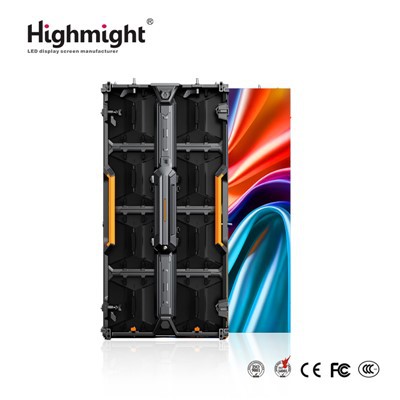
Hey there! As a supplier of flexible LED displays, I've seen my fair share of common problems that customers run into. In this blog, I'm gonna share some tips on how to solve these issues so you can get the most out of your flexible LED display.
1. Installation Problems
One of the most common problems with flexible LED displays is installation. Since these displays are flexible, they can be a bit tricky to install compared to traditional rigid displays.
Uneven Surface Mounting
Sometimes, when you try to mount the flexible LED display on an uneven surface, it can cause the display to look wavy or have gaps between the modules. To solve this, make sure you prepare the mounting surface properly. Use a flat and smooth surface if possible. If the surface is a bit uneven, you can use a flexible mounting bracket or some padding material to create a more even base for the display. For example, you can use foam pads to fill in the small gaps and ensure a snug fit.
Incorrect Module Alignment
Another installation issue is incorrect module alignment. When the modules aren't aligned correctly, it can lead to visible lines or misaligned pixels on the display. To avoid this, carefully follow the installation instructions that come with your display. Most flexible LED displays have alignment marks on the modules. Make sure these marks are lined up properly before connecting the modules. If you're still having trouble, it might be a good idea to have a professional installer take a look.
2. Image Quality Issues
The image quality of your flexible LED display is crucial for making a good impression. Here are some common image quality problems and how to solve them.
Color Inconsistency
Color inconsistency is a common issue, especially when you have multiple modules in a large display. This can happen due to differences in the manufacturing process or the aging of the LEDs. To fix this, you can use a color calibration tool. Many modern flexible LED displays come with built - in color calibration features. You can also use external calibration devices to adjust the color settings of each module so that they all match.
Low Brightness
If your flexible LED display seems too dim, there could be a few reasons. First, check the brightness settings on the display controller. You might have accidentally set the brightness too low. If that's not the case, it could be an issue with the power supply. Make sure the power supply is providing enough voltage and current to the display. If you need a high - brightness display, you might want to consider upgrading to a High Brightness Indoor Flexible Module. These modules are designed to offer better brightness even in well - lit environments.
Pixel Errors
Pixel errors, such as dead pixels or stuck pixels, can be really annoying. Dead pixels are completely black and don't light up at all, while stuck pixels are always on a single color. If you notice a few pixel errors, you can try using a pixel repair tool. Some display controllers have a pixel repair function that can try to fix these issues. In more severe cases, you might need to replace the faulty module.
3. Connectivity Problems
Connectivity issues can prevent your flexible LED display from working properly. Here's how to troubleshoot them.
Loose Connections
Loose connections are a common culprit. Check all the cables and connectors between the display modules, the power supply, and the display controller. Make sure they are firmly plugged in. If you find any loose connections, simply plug them in tighter. Sometimes, vibrations or movement can cause the connectors to come loose over time, so it's a good idea to check them regularly.
Signal Interference
Signal interference can cause the display to show a distorted image or even lose the signal completely. This can be caused by nearby electronic devices or poor quality cables. To reduce signal interference, keep your flexible LED display away from other electronic devices that might emit electromagnetic fields, such as microwave ovens or large motors. You can also use high - quality shielded cables to transmit the signal.
4. Environmental Issues
The environment where your flexible LED display is installed can also affect its performance.
Temperature and Humidity
Extreme temperatures and high humidity can damage the flexible LED display. In hot environments, the LEDs can overheat, which can lead to a shorter lifespan and reduced brightness. In cold environments, the flexibility of the display might be affected. To solve this, make sure the installation area has proper ventilation and temperature control. You can also use a protective enclosure to shield the display from the elements.
Dust and Dirt
Dust and dirt can accumulate on the surface of the display, which can reduce the image quality. To clean the display, use a soft, dry cloth to gently wipe the surface. Avoid using abrasive materials or harsh chemicals, as these can damage the display. If there are stubborn stains, you can use a small amount of water or a mild cleaning solution, but make sure to dry the display thoroughly afterwards.
5. Power Supply Problems
A stable power supply is essential for the proper functioning of your flexible LED display.
Power Surges
Power surges can damage the display's components. To protect your display from power surges, use a surge protector. A surge protector can absorb the excess voltage and prevent it from reaching the display. You can also consider using an uninterruptible power supply (UPS). A UPS can provide backup power in case of a power outage, which can prevent data loss and protect the display from sudden power changes.
Insufficient Power
If the power supply is not providing enough power, the display might not work properly or might have reduced brightness. Make sure the power supply you're using is rated for the power requirements of your display. Check the specifications of your display to find out how much power it needs and choose a power supply accordingly.
6. Maintenance Tips
Regular maintenance can help prevent many of the common problems we've discussed.
Regular Inspections
Make it a habit to inspect your flexible LED display regularly. Check for any signs of physical damage, loose connections, or abnormal operation. By catching problems early, you can prevent them from getting worse.


Software Updates
Keep the software of your display controller up - to - date. Software updates often include bug fixes and performance improvements. Most display controllers can be updated over the internet, so it's easy to stay on top of the latest software versions.
Contact Us for Solutions
If you're still having problems with your flexible LED display or if you're interested in purchasing a new one, don't hesitate to contact us. We're here to help you solve any issues and provide you with the best flexible LED display solutions. Whether you need a High transparency LED crystal film screen for a modern and sleek look or a high - brightness module for a well - lit environment, we've got you covered.
References
- LED Display Installation Guides
- Manufacturer's Technical Documentation for Flexible LED Displays
- Industry Articles on LED Display Maintenance and Troubleshooting